
Windows 7's official announcement Meme Generator
Create Your Windows 7's official announcement Meme
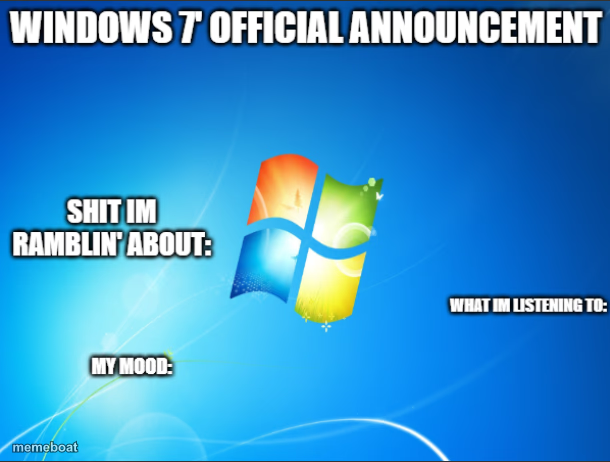
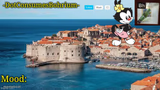
The blank Windows 7 desktop template with 'ramblin about / listening to / mood' labels — the go-to layout for a quick status update meme. Free to caption.
Blank Windows 7's official announcement meme template
Download the blank Windows 7's official announcement template to caption it yourself, or add your text right here in the editor above and download the finished meme.
When to use the Windows 7's official announcement meme
- Posting a relatable daily status update with zero effort
- Turning an unhinged 3am thought into a shareable format
- Announcing what song is stuck in your head today
- Summarizing your current vibe in three quick lines
Windows 7's official announcement template facts
- Dimensions
- 610 × 462 px
- Format
- PNG
- Text boxes
- 3
- Added
- 2025
About the Windows 7's official announcement meme template
This one's basically a meme mad-lib: a plain Windows 7 desktop with three preset labels asking what you're rambling about, what you're listening to, and your mood. It's been a stealth-classic format for over a decade for a reason — it's simple and endlessly fillable.
Popular Windows 7's official announcement caption ideas
why does cereal taste different at night · sad clown music, no lyrics · unstable but thriving
i think my plant is judging me · one song on repeat for 6 hours · caffeinated and confused
is a hot dog a sandwich, again · the same 4 songs since 2016 · surprisingly at peace
Templates similar to Windows 7's official announcement



Windows 7's official announcement meme FAQ
How do I make a Windows 7's official announcement meme?
Scroll up to the Windows 7's official announcement template, type your caption into the 3 text boxes in the editor above, adjust the font, size and color if you like, then click download. Your finished Windows 7's official announcement meme is ready to share in seconds.
Can I use the Windows 7's official announcement template for free?
Yes. The Windows 7's official announcement template is completely free to use — no signup and no limits on how many memes you create or where you share them.
How do I download my Windows 7's official announcement meme?
Click the download button under the editor once your Windows 7's official announcement meme looks right. It saves straight to your device as a high-quality PNG or JPEG image.
How do I download the blank Windows 7's official announcement template?
Use the "Download blank template" button in the blank Windows 7's official announcement template section above to save the original, un-captioned image — handy if you'd rather caption it in another app or keep a copy.