
Windows 7 Error Message Meme Generator
Create Your Windows 7 Error Message Meme

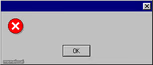
The classic Windows 7 error popup with red X icon — perfect for fake system warnings and 'error' jokes. Caption it and download free.
Blank Windows 7 Error Message meme template
Download the blank Windows 7 Error Message template to caption it yourself, or add your text right here in the editor above and download the finished meme.
When to use the Windows 7 Error Message meme
- Announcing a fake system error for something embarrassing in your life
- Parodying old-school tech support pop-ups
- Delivering bad news in the most deadpan, bureaucratic way possible
- Making a joke about outdated software still haunting your PC
Windows 7 Error Message template facts
- Featuring
- Windows 7 Error Dialog (Windows 7)
- Dimensions
- 392 × 196 px
- Format
- PNG
- Text boxes
- 4
- Added
- 2026
- Memes made
- 1
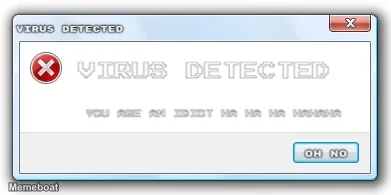
About the Windows 7 Error Message meme template
Nothing says 'something has gone deeply wrong' like a plain Windows 7 dialog box with a little red X and one lonely button. It's blank, official-looking, and begging to deliver bad news in the most bureaucratic font possible.
Use it to fake a system error for literally anything — your motivation, your bank account, your relationship status. The empty title bar and body text box mean you control every word, so make the 'error' as personal as you want.
Popular Windows 7 Error Message caption ideas
Error · Installing Virus... Info
Templates similar to Windows 7 Error Message


Windows 7 Error Message meme FAQ
How do I make a Windows 7 Error Message meme?
Scroll up to the Windows 7 Error Message template, type your caption into the 4 text boxes in the editor above, adjust the font, size and color if you like, then click download. Your finished Windows 7 Error Message meme is ready to share in seconds.
Can I use the Windows 7 Error Message template for free?
Yes. The Windows 7 Error Message template is completely free to use — no signup and no limits on how many memes you create or where you share them.
How do I download my Windows 7 Error Message meme?
Click the download button under the editor once your Windows 7 Error Message meme looks right. It saves straight to your device as a high-quality PNG or JPEG image.
How do I download the blank Windows 7 Error Message template?
Use the "Download blank template" button in the blank Windows 7 Error Message template section above to save the original, un-captioned image — handy if you'd rather caption it in another app or keep a copy.