
Windows 7 Loading Screen Meme Generator
Create Your Windows 7 Loading Screen Meme
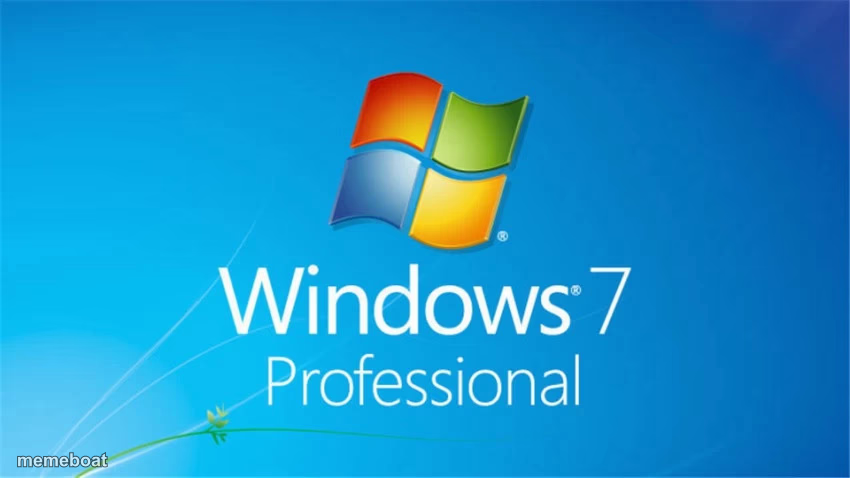
The classic Windows 7 Professional boot screen with its four-color logo. Great for nostalgia and 'simpler times' tech jokes. Free to caption and download.
Blank Windows 7 Loading Screen meme template
Download the blank Windows 7 Loading Screen template to caption it yourself, or add your text right here in the editor above and download the finished meme.
When to use the Windows 7 Loading Screen meme
- Nostalgia for 'the good old days' of computing
- Comparing old simple tech to modern overcomplicated tech
- The dramatic pause before your computer decides to cooperate
- Anything about waiting patiently for something outdated to load
Windows 7 Loading Screen template facts
- Dimensions
- 850 × 478 px
- Format
- JPG
- Text boxes
- 2
- Added
- 2025
About the Windows 7 Loading Screen meme template
That blue gradient and glowing four-pane logo hit different if you grew up rebooting a family desktop just to play a flash game. This screen means one thing: wait, and maybe pray the computer actually turns on this time.
Great for nostalgia bait, jokes about how much simpler (and slower) tech used to be, or comparing old reliable software to whatever bloated mess we're all stuck with now.
Popular Windows 7 Loading Screen caption ideas
WE MISS YOU WINDOWS 7 :( · MICROSOFT BRING WINDOWS 7 BACK
the operating system that never crashed · the operating system i'm forced to use now
me booting up in 2010 to play minesweeper · me now waiting 12 minutes for an update
last time computers just worked · everything since then
Templates similar to Windows 7 Loading Screen





Windows 7 Loading Screen meme FAQ
How do I make a Windows 7 Loading Screen meme?
Scroll up to the Windows 7 Loading Screen template, type your caption into the 2 text boxes in the editor above, adjust the font, size and color if you like, then click download. Your finished Windows 7 Loading Screen meme is ready to share in seconds.
Can I use the Windows 7 Loading Screen template for free?
Yes. The Windows 7 Loading Screen template is completely free to use — no signup and no limits on how many memes you create or where you share them.
How do I download my Windows 7 Loading Screen meme?
Click the download button under the editor once your Windows 7 Loading Screen meme looks right. It saves straight to your device as a high-quality PNG or JPEG image.
How do I download the blank Windows 7 Loading Screen template?
Use the "Download blank template" button in the blank Windows 7 Loading Screen template section above to save the original, un-captioned image — handy if you'd rather caption it in another app or keep a copy.