
welcome windows 7 Meme Generator
Create Your welcome windows 7 Meme
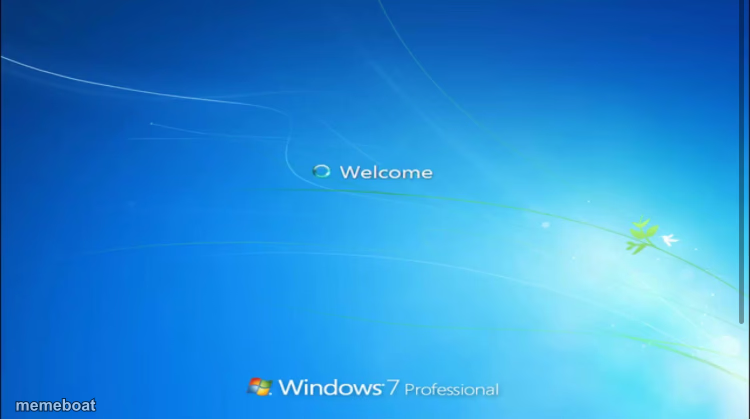
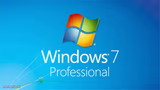
The nostalgic Windows 7 boot-up welcome screen, ready to caption as a loading joke or throwback. Free to customize and download in seconds.
Blank welcome windows 7 meme template
Download the blank welcome windows 7 template to caption it yourself, or add your text right here in the editor above and download the finished meme.
When to use the welcome windows 7 meme
- Joking about how long something is taking to load or start
- Nostalgia posts about simpler tech from a decade ago
- Captioning a fresh start or new beginning with old-school computer vibes
welcome windows 7 template facts
- Featuring
- Windows 7 (Microsoft Windows 7)
- Dimensions
- 750 × 420 px
- Format
- JPG
- Text boxes
- 2
- Added
- 2025
About the welcome windows 7 meme template
That soft blue swirl and the word "Welcome" spinning in as Windows 7 boots up — instant early-2010s nostalgia. This template is basically a loading screen frozen in time, perfect for jokes about waiting, starting fresh, or simpler days before everything was a subscription.
Popular welcome windows 7 caption ideas
Me trying to remember · my own password
Monday morning · loading motivation...
2010 called · it wants its OS back
Templates similar to welcome windows 7



welcome windows 7 meme FAQ
How do I make a welcome windows 7 meme?
Scroll up to the welcome windows 7 template, type your caption into the 2 text boxes in the editor above, adjust the font, size and color if you like, then click download. Your finished welcome windows 7 meme is ready to share in seconds.
Can I use the welcome windows 7 template for free?
Yes. The welcome windows 7 template is completely free to use — no signup and no limits on how many memes you create or where you share them.
How do I download my welcome windows 7 meme?
Click the download button under the editor once your welcome windows 7 meme looks right. It saves straight to your device as a high-quality PNG or JPEG image.
How do I download the blank welcome windows 7 template?
Use the "Download blank template" button in the blank welcome windows 7 template section above to save the original, un-captioned image — handy if you'd rather caption it in another app or keep a copy.