
Microsoft Paperclip Meme Generator
Create Your Microsoft Paperclip Meme
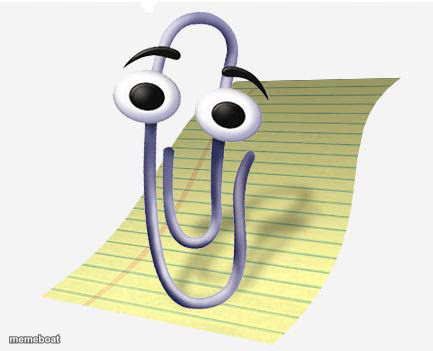
Clippy the Microsoft Office paperclip assistant, popping up with that classic unwanted 'helpful' energy. Add your own caption and download free.
Blank Microsoft Paperclip meme template
Download the blank Microsoft Paperclip template to caption it yourself, or add your text right here in the editor above and download the finished meme.
When to use the Microsoft Paperclip meme
- Unsolicited advice nobody asked for
- Nostalgia jokes about old software
- That one coworker who interrupts with 'help'
- Autocorrect ruining your text
Microsoft Paperclip template facts
- Featuring
- Clippy (Microsoft Office)
- Dimensions
- 433 × 351 px
- Format
- JPG
- Text boxes
- 1
- Added
- 2025
About the Microsoft Paperclip meme template
It looks like you're trying to write a meme. Would you like help with that? Clippy has been ruining productivity and delighting the internet since the 90s, and his big innocent eyes still hit the same nostalgic nerve.
Popular Microsoft Paperclip caption ideas
It looks like you're trying to procrastinate. Would you like help with that?
It looks like you're crying. Would you like a passive-aggressive tip?
It looks like you're writing a resignation letter. Want a template?
Templates similar to Microsoft Paperclip




Microsoft Paperclip meme FAQ
How do I make a Microsoft Paperclip meme?
Scroll up to the Microsoft Paperclip template, type your caption into the text box in the editor above, adjust the font, size and color if you like, then click download. Your finished Microsoft Paperclip meme is ready to share in seconds.
Can I use the Microsoft Paperclip template for free?
Yes. The Microsoft Paperclip template is completely free to use — no signup and no limits on how many memes you create or where you share them.
How do I download my Microsoft Paperclip meme?
Click the download button under the editor once your Microsoft Paperclip meme looks right. It saves straight to your device as a high-quality PNG or JPEG image.
How do I download the blank Microsoft Paperclip template?
Use the "Download blank template" button in the blank Microsoft Paperclip template section above to save the original, un-captioned image — handy if you'd rather caption it in another app or keep a copy.