
Clippy Yes No Meme Generator
Create Your Clippy Yes No Meme
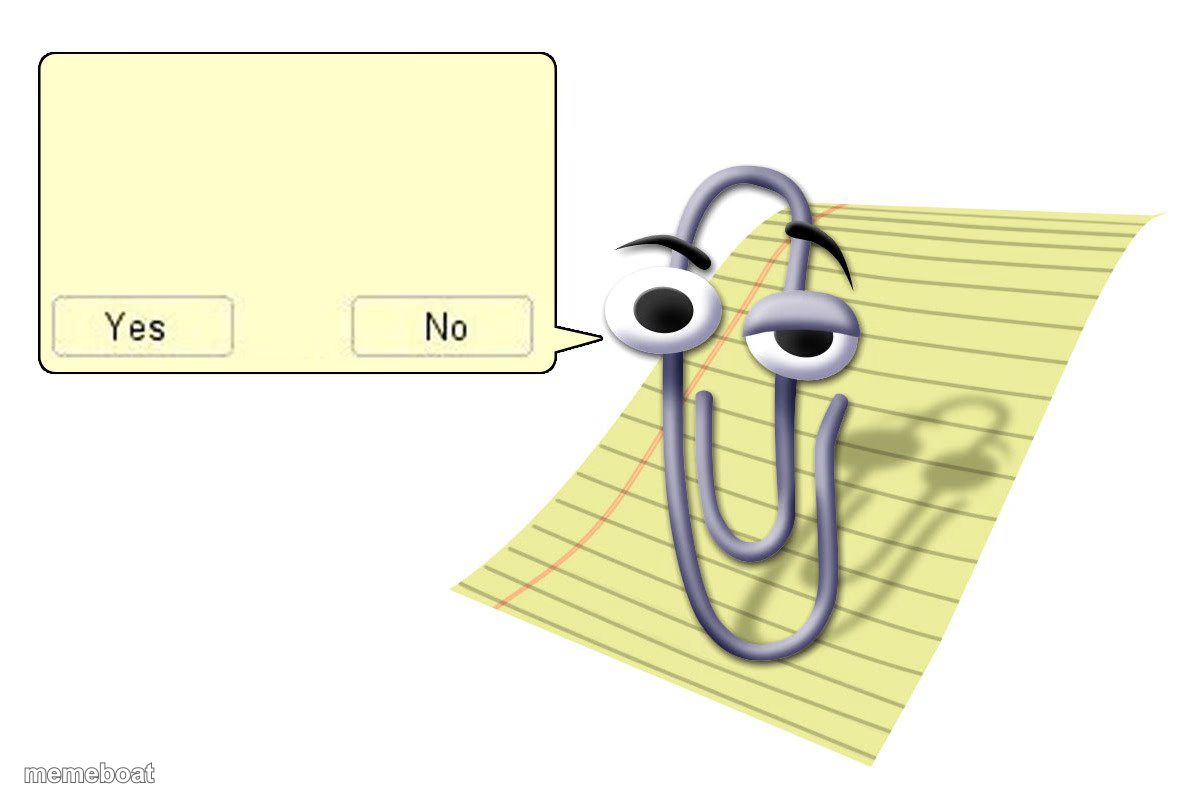
Also known as: Clippy · Microsoft Office Assistant · Clippy Yes No Dialog
The classic Clippy assistant popping up with a Yes/No question box, perfect for jokes about unwanted advice, awkward prompts, or fake choices. Caption and download free.
Blank Clippy Yes No meme template
Download the blank Clippy Yes No template to caption it yourself, or add your text right here in the editor above and download the finished meme.
When to use the Clippy Yes No meme
- being asked an unwanted question
- fake choice with only one real answer
- unsolicited advice popping up
Clippy Yes No template facts
- Dimensions
- 1200 × 800 px
- Format
- JPG
- Text boxes
- 1
- Added
- 2025
About the Clippy Yes No meme template
The Clippy meme template originates from the iconic Microsoft Office assistant, Clippy, which debuted in the late 1990s as a helpful but often intrusive paperclip character. Over time, Clippy evolved from a simple office clip into a beloved figure in internet culture, symbolizing both nostalgia and playful frustration. This meme became a viral phenomenon on platforms like Reddit and Twitter, where users repurpose Clippy’s quirky expressions to comment humorously on everyday tech troubles and social media mishaps. As a staple of meme culture, the Clippy meme connects deeply with digital audiences familiar with office software and online trends.
Knowing how to use the Clippy meme template effectively can elevate your social media content with relatable humor and witty commentary. Perfect for expressing funny reactions to tech fails, awkward moments, or unsolicited advice, this meme resonates well across Instagram, Facebook, Twitter, and TikTok. Whether you’re wondering how to make a Clippy meme or when to post it, this template serves as a versatile tool for crafting engaging, shareable content. Its simple format allows users to insert custom text that captures relatable moments, making it ideal for both casual meme creators and social media marketers aiming to boost engagement.
The Clippy meme remains popular due to its nostalgic charm and adaptability, making it easy to create and customize for any occasion. Our Clippy meme generator lets you instantly generate personalized memes with no design skills needed—just add your text and share. This meme’s viral potential is amplified by its recognizable character and humorous context, encouraging social media sharing and interaction. Start making your own Clippy meme now with our free, easy-to-use online meme maker and join millions of users creating trending, funny content that spreads quickly across digital platforms.
Popular Clippy Yes No caption ideas
Clippy
Are you a furry?
mad clippy
give personal acess
I have your IP address
I have your IP address:)
Clippy
I'm I cringe?
Clippy?
Do you want grimace shake or il kill you
Clippy
It seems you are at 95%, would you like the best red segment? Say yes or I will throw a bad red segment on you!
Clippy
Would you like to die
clippy is scamming you
do you want free bobux?
Clippy
IT'S OFFICIAL DJ MIKE IS BACK!!! KARAOKE AT WILLIAMSTOWN MARINA THURSDAY 7:00
clippy missing him's spanish lesson
WHEN CLIPPY MISSES HIM'S SPANISH LESSON
Templates similar to Clippy Yes No



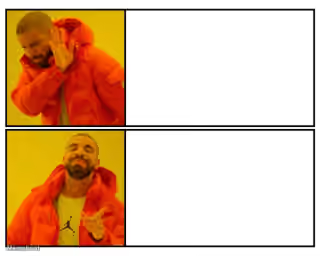
Clippy Yes No meme FAQ
How do I make a Clippy Yes No meme?
Scroll up to the Clippy Yes No template, type your caption into the text box in the editor above, adjust the font, size and color if you like, then click download. Your finished Clippy Yes No meme is ready to share in seconds.
Can I use the Clippy Yes No template for free?
Yes. The Clippy Yes No template is completely free to use — no signup and no limits on how many memes you create or where you share them.
How do I download my Clippy Yes No meme?
Click the download button under the editor once your Clippy Yes No meme looks right. It saves straight to your device as a high-quality PNG or JPEG image.
How do I download the blank Clippy Yes No template?
Use the "Download blank template" button in the blank Clippy Yes No template section above to save the original, un-captioned image — handy if you'd rather caption it in another app or keep a copy.