
Diverging Slides Meme Generator
Create Your Diverging Slides Meme
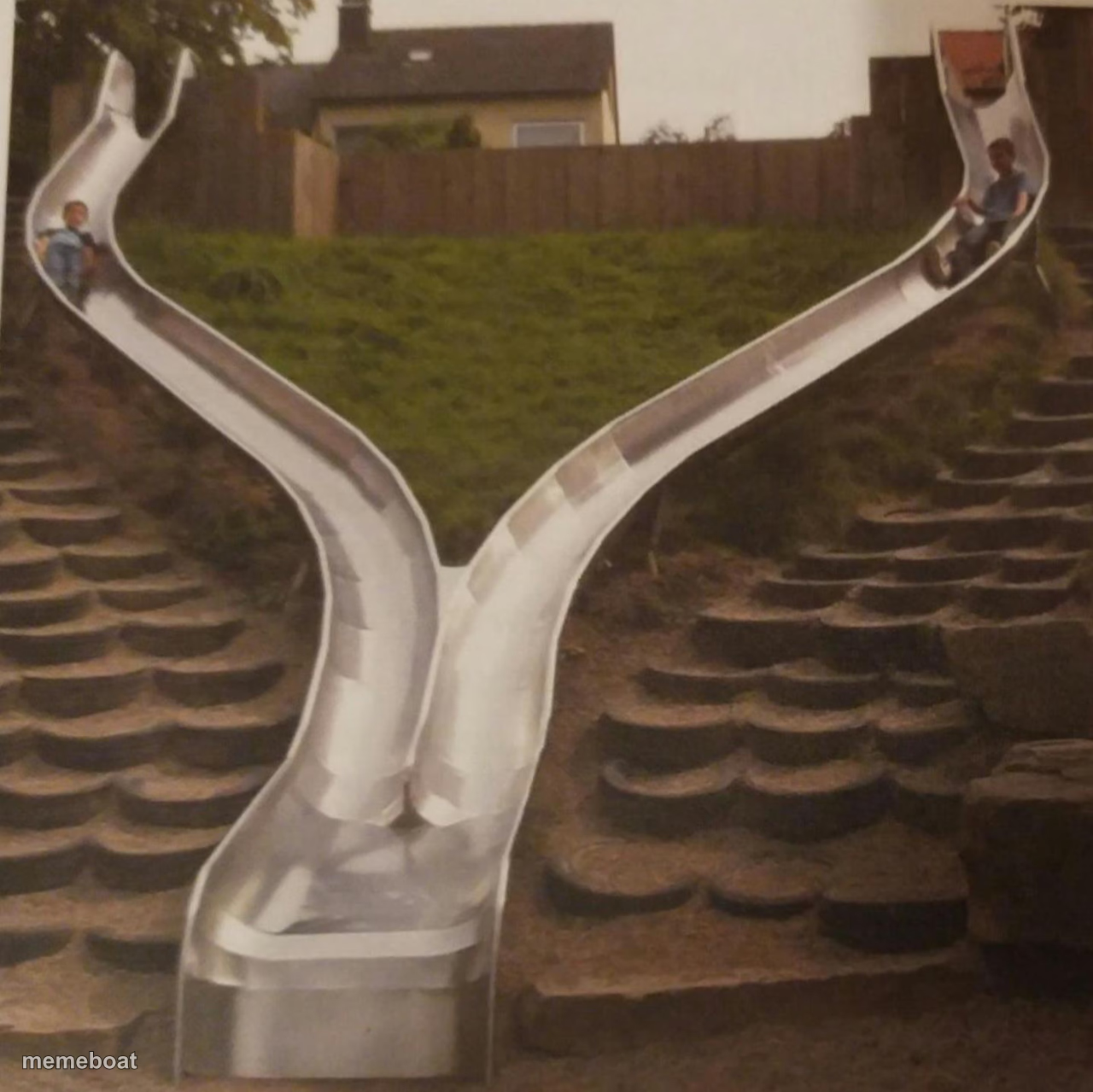
Two playground slides splitting apart from one starting point down a hill. Perfect for choices, forks in the road, and diverging paths — caption and download free.
Blank Diverging Slides meme template
Download the blank Diverging Slides template to caption it yourself, or add your text right here in the editor above and download the finished meme.
When to use the Diverging Slides meme
- Two people who started in the same place ending up totally different
- A decision that splits into two very different outcomes
- Comparing the 'good choice' path vs the 'bad choice' path
- Same starting line, wildly different destinations
Diverging Slides template facts
- Dimensions
- 1280 × 1279 px
- Format
- JPG
- Added
- 2025
About the Diverging Slides meme template
A single slide launch point splits into two separate slides going in opposite directions down the same hill. It's basically a metaphor generator: two kids start at the same place and end up somewhere totally different.
Use it for any decision that forks hard — two people who had the same starting point in life, a plan that could go two very different ways, or just comparing outcomes side by side. Clean visual, instantly gets the point across.
Templates similar to Diverging Slides






Diverging Slides meme FAQ
How do I make a Diverging Slides meme?
Scroll up to the Diverging Slides template, add your own text boxes in the editor above and type your captions, adjust the font, size and color if you like, then click download. Your finished Diverging Slides meme is ready to share in seconds.
Can I use the Diverging Slides template for free?
Yes. The Diverging Slides template is completely free to use — no signup and no limits on how many memes you create or where you share them.
How do I download my Diverging Slides meme?
Click the download button under the editor once your Diverging Slides meme looks right. It saves straight to your device as a high-quality PNG or JPEG image.
How do I download the blank Diverging Slides template?
Use the "Download blank template" button in the blank Diverging Slides template section above to save the original, un-captioned image — handy if you'd rather caption it in another app or keep a copy.