
Reminders Notification Meme Generator
Create Your Reminders Notification Meme
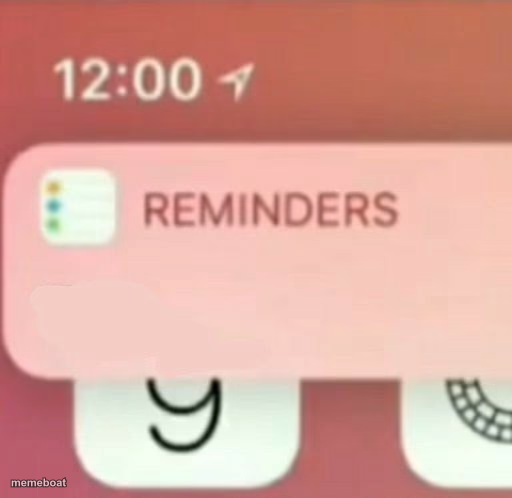
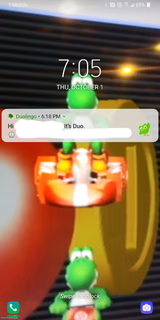
An iPhone Reminders app notification banner popping up over a pink lock screen — perfect for fake 'to-do' or ironic reminder captions. Caption and download free.
Blank Reminders Notification meme template
Download the blank Reminders Notification template to caption it yourself, or add your text right here in the editor above and download the finished meme.
When to use the Reminders Notification meme
- Captioning the banner with a reminder you've been ignoring for weeks
- Fake notifications about embarrassing personal facts
- Reminding yourself of a deadline you're already late for
Reminders Notification template facts
- Dimensions
- 512 × 498 px
- Format
- JPG
- Text boxes
- 1
- Added
- 2025
About the Reminders Notification meme template
That little pink Reminders banner sliding down from the top of your lock screen — you know the one, it always shows up at the worst possible time to tell you about something you definitely forgot to do three days ago.
This template is built for fake notification jokes: writing your own ironic 'reminder' text into the banner, poking fun at procrastination, anxiety spirals, or just the universal experience of your phone calling you out in public.
Popular Reminders Notification caption ideas
AND INCREDIBLY AMAZING · YOU’RE LOVED
REMINDER: you said 'I'll do it tomorrow' 4 tomorrows ago
REMINDER: that thing you're avoiding is still there
REMINDER: you have 1 unread message from your therapist
Templates similar to Reminders Notification




Reminders Notification meme FAQ
How do I make a Reminders Notification meme?
Scroll up to the Reminders Notification template, type your caption into the text box in the editor above, adjust the font, size and color if you like, then click download. Your finished Reminders Notification meme is ready to share in seconds.
Can I use the Reminders Notification template for free?
Yes. The Reminders Notification template is completely free to use — no signup and no limits on how many memes you create or where you share them.
How do I download my Reminders Notification meme?
Click the download button under the editor once your Reminders Notification meme looks right. It saves straight to your device as a high-quality PNG or JPEG image.
How do I download the blank Reminders Notification template?
Use the "Download blank template" button in the blank Reminders Notification template section above to save the original, un-captioned image — handy if you'd rather caption it in another app or keep a copy.