
poof Meme Generator
Create Your poof Meme

Extreme close-up of a cartoon princess with a smug, side-eye squint and purple eyeshadow. Perfect for judgmental reaction captions. Free to caption and download.
Blank poof meme template
Download the blank poof template to caption it yourself, or add your text right here in the editor above and download the finished meme.
When to use the poof meme
- Reacting to someone's obviously bad decision without saying a word
- That face when a friend says 'trust me' right before disaster
- Judging your group chat silently while typing 'lol ok'
- The side-eye you give when someone cuts in line
poof template facts
- Dimensions
- 460 × 414 px
- Format
- PNG
- Text boxes
- 2
- Added
- 2026
About the poof meme template
That look when someone tells you their terrible plan and you're too polite to say it out loud. This tight crop zooms right in on the eyes and eyebrows of a cartoon princess mid side-eye, purple eyeshadow catching the light while her mouth does that flat, unimpressed little pucker.
It's the perfect template for silent judgment, backhanded compliments, or reacting to a coworker's "genius" idea. No dialogue needed in the source image, which means you get full control of the punchline. Drop in your own top and bottom text and let the smug royal do the rest.
Popular poof caption ideas
WHEN SOMEONE IS BEING NICE · BUT THEY SMILING TOO MUCH
WHEN HE SAYS · "IT'S NOT THAT DEEP"
ME LISTENING TO · YOUR EXCUSE
THAT LOOK YOU GIVE · WHEN YOU KNOW THE TRUTH
Templates similar to poof
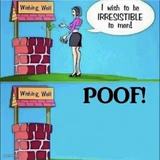




poof meme FAQ
How do I make a poof meme?
Scroll up to the poof template, type your caption into the 2 text boxes in the editor above, adjust the font, size and color if you like, then click download. Your finished poof meme is ready to share in seconds.
Can I use the poof template for free?
Yes. The poof template is completely free to use — no signup and no limits on how many memes you create or where you share them.
How do I download my poof meme?
Click the download button under the editor once your poof meme looks right. It saves straight to your device as a high-quality PNG or JPEG image.
How do I download the blank poof template?
Use the "Download blank template" button in the blank poof template section above to save the original, un-captioned image — handy if you'd rather caption it in another app or keep a copy.