Charlie Brown Sigh Meme Generator
Create Your Charlie Brown Sigh Meme
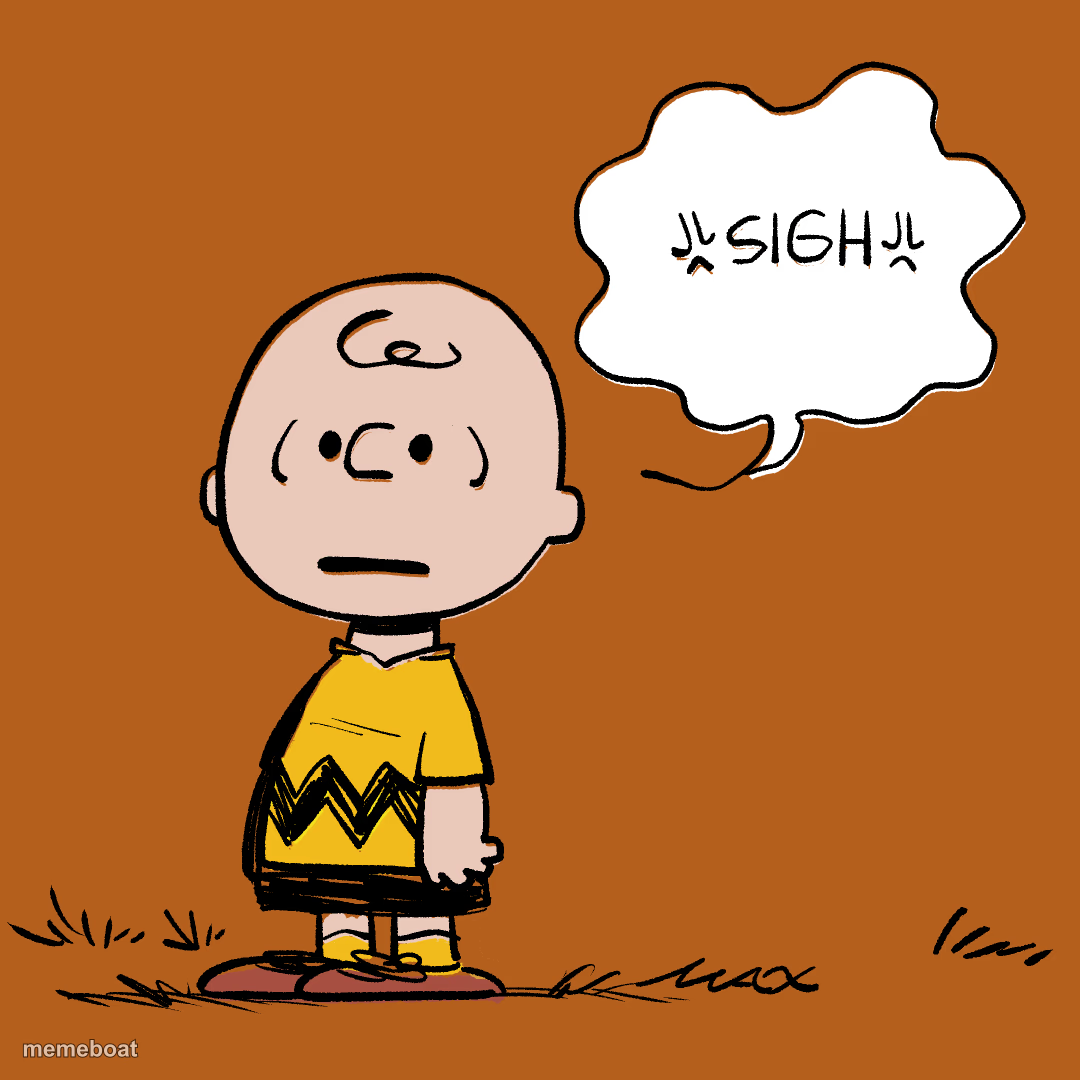
Charlie Brown standing blank-faced with a speech bubble that just says 'SIGH.' Ideal for pure, quiet exhaustion. Caption it free and download instantly.
Blank Charlie Brown Sigh meme template
Download the blank Charlie Brown Sigh template to caption it yourself, or add your text right here in the editor above and download the finished meme.
When to use the Charlie Brown Sigh meme
- When the group project falls apart again and you're not even surprised
- Reading the 47th 'reply-all' email of the day
Charlie Brown Sigh template facts
- Dimensions
- 1080 × 1080 px
- Format
- PNG
- Text boxes
- 1
- Added
- 2025
About the Charlie Brown Sigh meme template
Charlie Brown just stands there, deadpan, letting out the world's most tired 'sigh' instead of even bothering to react. No rant, no drama, just total resignation — the mood of someone who's simply done.
Great for Mondays, disappointing group chats, or any moment where you just don't have the energy to be mad, only tired.
Popular Charlie Brown Sigh caption ideas
SIGH
me checking my phone Monday morning
when they say 'quick meeting' and it's an hour
Templates similar to Charlie Brown Sigh



Charlie Brown Sigh meme FAQ
How do I make a Charlie Brown Sigh meme?
Scroll up to the Charlie Brown Sigh template, type your caption into the text box in the editor above, adjust the font, size and color if you like, then click download. Your finished Charlie Brown Sigh meme is ready to share in seconds.
Can I use the Charlie Brown Sigh template for free?
Yes. The Charlie Brown Sigh template is completely free to use — no signup and no limits on how many memes you create or where you share them.
How do I download my Charlie Brown Sigh meme?
Click the download button under the editor once your Charlie Brown Sigh meme looks right. It saves straight to your device as a high-quality PNG or JPEG image.
How do I download the blank Charlie Brown Sigh template?
Use the "Download blank template" button in the blank Charlie Brown Sigh template section above to save the original, un-captioned image — handy if you'd rather caption it in another app or keep a copy.