
is you ded Meme Generator
Create Your is you ded Meme
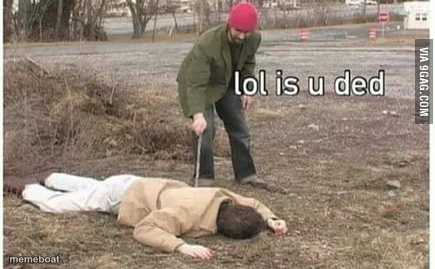
The 'lol is u ded' meme — a guy poking a person lying on the ground with a stick, checking if they're still alive. Caption and download free.
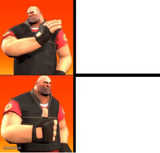
Blank is you ded meme template
Download the blank is you ded template to caption it yourself, or add your text right here in the editor above and download the finished meme.
When to use the is you ded meme
- Checking if your phone survived the drop
- Waking up your friend after a rough night out
- Poking your motivation to see if it still exists on Monday
is you ded template facts
- Dimensions
- 435 × 269 px
- Format
- PNG
- Text boxes
- 2
- Added
- 2025
About the is you ded meme template
A guy in a red beanie cautiously poking a motionless person on the ground with a stick, presumably to check for survivors. It's giving 'concerned but also filming for content' energy.
Use it whenever something (or someone) looks totally wrecked and you need to poke it to see if it still works — a dead phone battery, a friend after a rough night, your motivation on a Monday morning.
Popular is you ded caption ideas
my inbox after the weekend · me, poking it with a stick
that one group chat · everyone left in it, checking for signs of life
my plants when i get back from vacation · me, praying
Templates similar to is you ded
is you ded meme FAQ
How do I make a is you ded meme?
Scroll up to the is you ded template, type your caption into the 2 text boxes in the editor above, adjust the font, size and color if you like, then click download. Your finished is you ded meme is ready to share in seconds.
Can I use the is you ded template for free?
Yes. The is you ded template is completely free to use — no signup and no limits on how many memes you create or where you share them.
How do I download my is you ded meme?
Click the download button under the editor once your is you ded meme looks right. It saves straight to your device as a high-quality PNG or JPEG image.
How do I download the blank is you ded template?
Use the "Download blank template" button in the blank is you ded template section above to save the original, un-captioned image — handy if you'd rather caption it in another app or keep a copy.