
Hey. Meme Generator
Create Your Hey. Meme

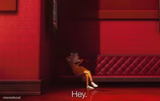
Vector slouched on his red couch dropping a flat 'Hey.' — perfect for awkward greetings, deadpan flexes, or interruptions. Caption it free.
Blank Hey. meme template
Download the blank Hey. template to caption it yourself, or add your text right here in the editor above and download the finished meme.
When to use the Hey. meme
- Walking into a group chat right after you were the topic of conversation
- Showing up fashionably late with zero explanation
- Casually dropping a huge flex like it's nothing
- Interrupting an argument you clearly caused
Hey. template facts
- Featuring
- Vector (Despicable Me (2010))
- Dimensions
- 640 × 395 px
- Format
- PNG
- Text boxes
- 1
- Added
- 2025
About the Hey. meme template
This is Vector from Despicable Me, mid-recline on his signature red couch in his lava-lair hallway, tossing out the most unbothered 'Hey.' in animated history. It's the energy of someone who knows they just did something and is not sorry about it.
Use it for flat, deadpan intros, awkward flexes, or any moment where the vibe is 'yeah, I said what I said.' Swap the caption, keep the smugness, download free.
Popular Hey. caption ideas
me pulling up 20 minutes late with no excuse
when they say your name and you just appear
walked in mid-drama like I didn't start it
Templates similar to Hey.




Hey. meme FAQ
How do I make a Hey. meme?
Scroll up to the Hey. template, type your caption into the text box in the editor above, adjust the font, size and color if you like, then click download. Your finished Hey. meme is ready to share in seconds.
Can I use the Hey. template for free?
Yes. The Hey. template is completely free to use — no signup and no limits on how many memes you create or where you share them.
How do I download my Hey. meme?
Click the download button under the editor once your Hey. meme looks right. It saves straight to your device as a high-quality PNG or JPEG image.
How do I download the blank Hey. template?
Use the "Download blank template" button in the blank Hey. template section above to save the original, un-captioned image — handy if you'd rather caption it in another app or keep a copy.