
Gebrix announcement Meme Generator
Create Your Gebrix announcement Meme

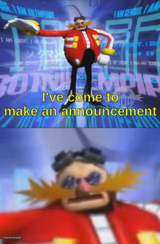
A blue furry dog character named Gebrix stands in a sci-fi spaceship room, baked-in captions about jamming to music. Add your own top and bottom lines free.
Blank Gebrix announcement meme template
Download the blank Gebrix announcement template to caption it yourself, or add your text right here in the editor above and download the finished meme.
When to use the Gebrix announcement meme
- when someone asks what you're listening to and it's deeply embarrassing
- reacting to a friend's terrible music taste with fake confidence
- captioning a screenshot from a Discord server's weird lore
Gebrix announcement template facts
- Dimensions
- 884 × 500 px
- Format
- JPG
- Text boxes
- 2
- Added
- 2026
About the Gebrix announcement meme template
Meet Gebrix, a blue-and-orange dog character striking a pose inside a retro-futuristic spaceship cabin, complete with control panels, a porthole window, and a suspiciously chill vibe. The template already carries its own built-in banter about "jamming" to tunes, which makes it a natural fit for absurdist reaction captions.
This one leans deep into internet-furry-fandom energy, so it works best for niche in-jokes, chat server memes, or anyone who wants a weird sci-fi backdrop with a character who clearly does not care what you think. Drop in your own top and bottom text and make it yours.
Popular Gebrix announcement caption ideas
people are suffering
ME DENYING I WAS VIBING · "NONSENSE, I WAS JAMMERING"
WHEN THE GROUP CHAT ASKS FOR PROOF · PULLS UP THE SPACESHIP ALIBI
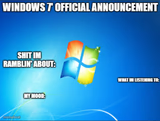
MY TASTE IN MUSIC: · IMPECCABLE, ACTUALLY


Gebrix announcement meme FAQ
How do I make a Gebrix announcement meme?
Scroll up to the Gebrix announcement template, type your caption into the 2 text boxes in the editor above, adjust the font, size and color if you like, then click download. Your finished Gebrix announcement meme is ready to share in seconds.
Can I use the Gebrix announcement template for free?
Yes. The Gebrix announcement template is completely free to use — no signup and no limits on how many memes you create or where you share them.
How do I download my Gebrix announcement meme?
Click the download button under the editor once your Gebrix announcement meme looks right. It saves straight to your device as a high-quality PNG or JPEG image.
How do I download the blank Gebrix announcement template?
Use the "Download blank template" button in the blank Gebrix announcement template section above to save the original, un-captioned image — handy if you'd rather caption it in another app or keep a copy.