
Clippy BLANK BOX Meme Generator
Create Your Clippy BLANK BOX Meme
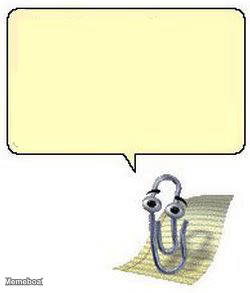
Create Clippy BLANK BOX memes with custom text. Add your own captions to this format and download your finished meme for free.
Blank Clippy BLANK BOX meme template
Download the blank Clippy BLANK BOX template to caption it yourself, or add your text right here in the editor above and download the finished meme.
Clippy BLANK BOX template facts
- Dimensions
- 250 × 293 px
- Format
- JPG
- Text boxes
- 1
- Added
- 2026
- Memes made
- 1
About the Clippy BLANK BOX meme template
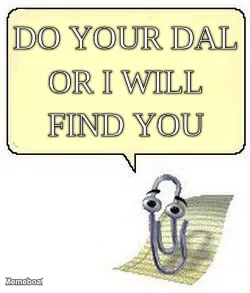
Keep your captions short and unexpected when using this template. The blank box format works best with single words or brief phrases that create surprising or absurd combinations.
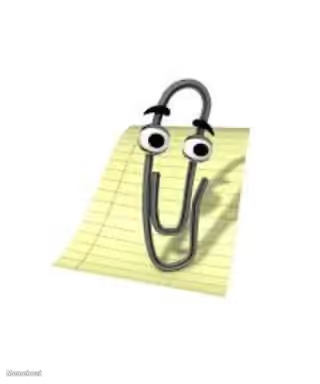
The Clippy BLANK BOX format lets you fill in text alongside the classic Microsoft Office assistant character. This setup works well for random humor, where the contrast between Clippy's helpful appearance and whatever you write creates the comedic effect.
Add your own text to customize this template, then download your finished meme to share anywhere you want.
Popular Clippy BLANK BOX caption ideas
onion
Templates similar to Clippy BLANK BOX



Clippy BLANK BOX meme FAQ
How do I make a Clippy BLANK BOX meme?
Scroll up to the Clippy BLANK BOX template, type your caption into the text box in the editor above, adjust the font, size and color if you like, then click download. Your finished Clippy BLANK BOX meme is ready to share in seconds.
Can I use the Clippy BLANK BOX template for free?
Yes. The Clippy BLANK BOX template is completely free to use — no signup and no limits on how many memes you create or where you share them.
How do I download my Clippy BLANK BOX meme?
Click the download button under the editor once your Clippy BLANK BOX meme looks right. It saves straight to your device as a high-quality PNG or JPEG image.
How do I download the blank Clippy BLANK BOX template?
Use the "Download blank template" button in the blank Clippy BLANK BOX template section above to save the original, un-captioned image — handy if you'd rather caption it in another app or keep a copy.