
yeat idgaf Meme Generator
Create Your yeat idgaf Meme

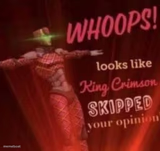
Rapper Yeat in a black ski mask and sunglasses, pointing at his own head with total nonchalance. Ideal for I-don't-care energy memes — free to caption.
Blank yeat idgaf meme template
Download the blank yeat idgaf template to caption it yourself, or add your text right here in the editor above and download the finished meme.
When to use the yeat idgaf meme
- Flexing a decision nobody asked your opinion on
- Responding to criticism with total indifference
- Announcing you're doing something reckless and confident about it
yeat idgaf template facts
- Featuring
- Yeat
- Dimensions
- 1280 × 1280 px
- Format
- PNG
- Text boxes
- 1
- Added
- 2026
About the yeat idgaf meme template
Yeat, decked out in a black balaclava, shades, and tattoos, pointing both fingers at his temples like he's about to drop the coldest take of your life. Total main-character-who-does-not-care energy.
Use it whenever someone's about to say something unbothered, unhinged, or aggressively confident — it's built for flexing, dismissing, or just not caring in style.
Popular yeat idgaf caption ideas
RAMADAN MOBARAK
Me explaining why I'm not going to the gym today
When they ask if I'm worried about the exam
My financial advisor watching me buy another hoodie



yeat idgaf meme FAQ
How do I make a yeat idgaf meme?
Scroll up to the yeat idgaf template, type your caption into the text box in the editor above, adjust the font, size and color if you like, then click download. Your finished yeat idgaf meme is ready to share in seconds.
Can I use the yeat idgaf template for free?
Yes. The yeat idgaf template is completely free to use — no signup and no limits on how many memes you create or where you share them.
How do I download my yeat idgaf meme?
Click the download button under the editor once your yeat idgaf meme looks right. It saves straight to your device as a high-quality PNG or JPEG image.
How do I download the blank yeat idgaf template?
Use the "Download blank template" button in the blank yeat idgaf template section above to save the original, un-captioned image — handy if you'd rather caption it in another app or keep a copy.