
Winslow Meme Generator
Create Your Winslow Meme
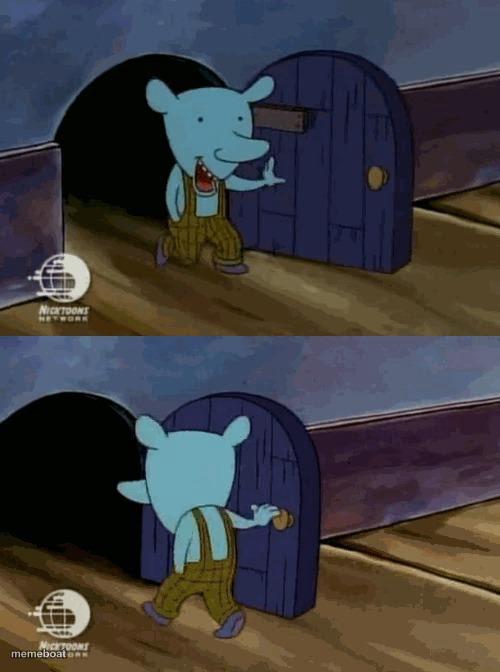
Winslow the blue elephant from Doug, awkwardly stepping through a tiny mouse hole door — great for any clumsy exit or awkward retreat. Free to caption.
Blank Winslow meme template
Download the blank Winslow template to caption it yourself, or add your text right here in the editor above and download the finished meme.
When to use the Winslow meme
- Sneaking out of an awkward conversation before it gets worse
- Trying to leave a meeting quietly and definitely not being quiet
- That walk of shame out of a room after saying the wrong thing
Winslow template facts
- Featuring
- Winslow (Doug)
- Dimensions
- 500 × 672 px
- Format
- JPG
- Added
- 2025
About the Winslow meme template
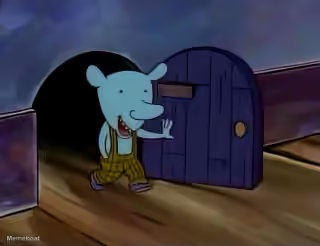
Two panels of Winslow, Doug's mild-mannered blue elephant classmate, ducking through a comically small mouse-sized door. It's an oddly specific bit of animation that somehow works for basically any 'trying to make a quiet exit and failing' moment.
Popular Winslow caption ideas
FREE TRIAL · ENTER CREDIT CARD INFORMATION




Winslow meme FAQ
How do I make a Winslow meme?
Scroll up to the Winslow template, add your own text boxes in the editor above and type your captions, adjust the font, size and color if you like, then click download. Your finished Winslow meme is ready to share in seconds.
Can I use the Winslow template for free?
Yes. The Winslow template is completely free to use — no signup and no limits on how many memes you create or where you share them.
How do I download my Winslow meme?
Click the download button under the editor once your Winslow meme looks right. It saves straight to your device as a high-quality PNG or JPEG image.
How do I download the blank Winslow template?
Use the "Download blank template" button in the blank Winslow template section above to save the original, un-captioned image — handy if you'd rather caption it in another app or keep a copy.