
Dug Meme Generator
Create Your Dug Meme
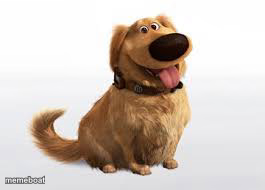
Dug, the golden retriever from Up, tongue out and blissfully happy for your most easily-distracted-dog jokes. Caption and download free.
Blank Dug meme template
Download the blank Dug template to caption it yourself, or add your text right here in the editor above and download the finished meme.
When to use the Dug meme
- Getting distracted mid-sentence because 'squirrel'
- Reacting with pure joy to something objectively small
- Being way too loyal and happy for your own good
- That friend who forgives you instantly no matter what
Dug template facts
- Featuring
- Dug (Up (Pixar))
- Dimensions
- 265 × 190 px
- Format
- JPG
- Text boxes
- 1
- Added
- 2025
About the Dug meme template
It's Dug — the talking golden retriever from Pixar's Up, tongue lolling out with pure, uncomplicated joy on his face. He's the friendliest dog in movie history and the perfect stand-in for anyone who gets instantly, embarrassingly happy about small things.
Use him for squirrel-brain jokes, unconditional-loyalty bits, or just captioning how happy you get over something objectively minor. Works great as a single caption or a two-panel before/after.
Popular Dug caption ideas
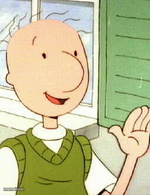
IS IT · DOUG, OR DUG?
Me every time someone says my name
When you remember there's leftover pizza in the fridge
My brain during a Zoom meeting: SQUIRREL
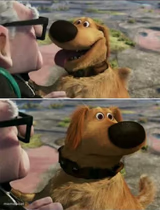
Templates similar to Dug


Dug meme FAQ
How do I make a Dug meme?
Scroll up to the Dug template, type your caption into the text box in the editor above, adjust the font, size and color if you like, then click download. Your finished Dug meme is ready to share in seconds.
Can I use the Dug template for free?
Yes. The Dug template is completely free to use — no signup and no limits on how many memes you create or where you share them.
How do I download my Dug meme?
Click the download button under the editor once your Dug meme looks right. It saves straight to your device as a high-quality PNG or JPEG image.
How do I download the blank Dug template?
Use the "Download blank template" button in the blank Dug template section above to save the original, un-captioned image — handy if you'd rather caption it in another app or keep a copy.