
Who moved the ______ portrait? Meme Generator
Create Your Who moved the ______ portrait? Meme
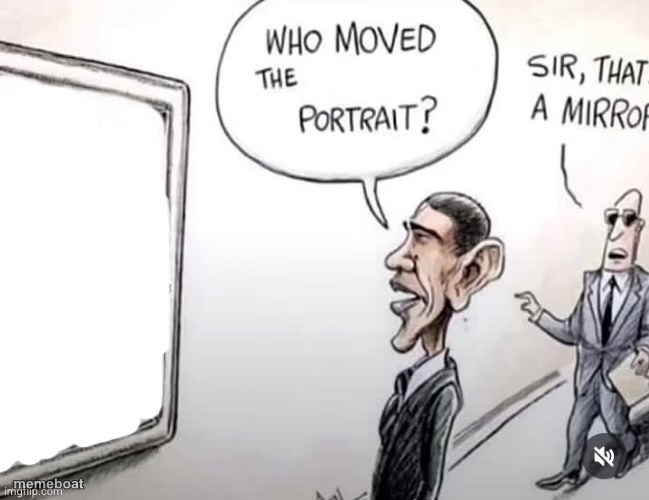
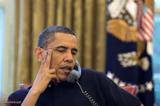
Obama cartoon staring at a blank picture frame asking who moved the portrait, aide replying it's a mirror. Fits self-awareness fails, denial, or awkward realizations. Caption it free and download.
Blank Who moved the ______ portrait? meme template
Download the blank Who moved the ______ portrait? template to caption it yourself, or add your text right here in the editor above and download the finished meme.
When to use the Who moved the ______ portrait? meme
- denial about a mistake
- awkward self-realization
- not recognizing yourself
Who moved the ______ portrait? template facts
- Dimensions
- 649 × 500 px
- Format
- JPG
- Text boxes
- 1
- Added
- 2025
About the Who moved the ______ portrait? meme template
The "Who moved the ______ portrait?" meme template has become a standout in internet culture, capturing the humor and absurdity of everyday confusion. Originating from viral social media posts featuring Barack Obama humorously reacting to a mirror mistaken for a portrait, this meme gained traction around 2022 on platforms like Twitter and TikTok. Its blend of relatable surprise and comedic timing makes it a viral phenomenon that resonates widely across meme culture and online trends.
Knowing how to use the "Who moved the ______ portrait?" meme effectively can elevate your social media content with funny reactions and relatable moments. Perfect for expressing bewilderment or playful accusations, this template works well in posts about unexpected changes or funny misunderstandings. Whether you're wondering how to make a "Who moved the ______ portrait?" meme or when to post it, this meme maker is ideal for creating engaging, shareable content that connects with audiences on Instagram, Facebook, Twitter, and TikTok.
This meme template remains popular because it’s easy to customize and instantly generates viral content without any design skills needed. Our online generator lets you create, personalize, and share your own "Who moved the ______ portrait?" memes quickly, driving social media engagement and laughs. With instant results and no signup required, start making your funny, trending memes now and join millions enjoying this hilarious meme format across the web.
Popular Who moved the ______ portrait? caption ideas
AMONG FARD
Templates similar to Who moved the ______ portrait?




Who moved the ______ portrait? meme FAQ
How do I make a Who moved the ______ portrait? meme?
Scroll up to the Who moved the ______ portrait? template, type your caption into the text box in the editor above, adjust the font, size and color if you like, then click download. Your finished Who moved the ______ portrait? meme is ready to share in seconds.
Can I use the Who moved the ______ portrait? template for free?
Yes. The Who moved the ______ portrait? template is completely free to use — no signup and no limits on how many memes you create or where you share them.
How do I download my Who moved the ______ portrait? meme?
Click the download button under the editor once your Who moved the ______ portrait? meme looks right. It saves straight to your device as a high-quality PNG or JPEG image.
How do I download the blank Who moved the ______ portrait? template?
Use the "Download blank template" button in the blank Who moved the ______ portrait? template section above to save the original, un-captioned image — handy if you'd rather caption it in another app or keep a copy.