
Who asked Meme Generator
Create Your Who asked Meme

Make hilarious Who Asked memes instantly with our free generator. Create viral content in seconds—no signup required! Start making funny memes now.
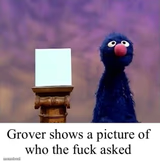
Blank Who asked meme template
Download the blank Who asked template to caption it yourself, or add your text right here in the editor above and download the finished meme.
Who asked template facts
- Dimensions
- 95 × 1280 px
- Format
- JPG
- Added
- 2025
About the Who asked meme template
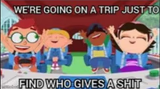
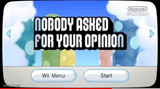
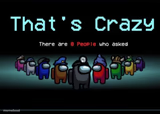
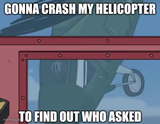
The "Who Asked" meme template emerged as a sharp, humorous comeback in internet culture, quickly becoming a viral phenomenon across social media platforms. Originating around 2019, this meme gained traction on Twitter and Reddit as a witty response to unsolicited opinions or statements. Its simple yet impactful design captures the essence of dismissive humor, making it a staple in meme culture and online comedy. As a part of the broader internet culture, the "Who Asked" meme reflects the evolving ways users engage with digital humor and social commentary.
Knowing how to use the "Who Asked" meme template effectively can elevate your social media content and engage your audience with relatable humor. Perfect for responding to irrelevant comments or poking fun at awkward conversations, this meme fits well in funny reactions and relatable moments. Whether you're posting on Instagram, Twitter, Facebook, or TikTok, understanding when to post a "Who Asked" meme can maximize its comedic impact. Learn how to make "Who Asked" memes that resonate by tailoring your captions and imagery to current online trends and social media conversations.
The popularity of the "Who Asked" meme endures due to its versatility and instant shareability. Our easy-to-use online meme generator lets you create, customize, and personalize "Who Asked" memes with custom text in seconds—no design skills needed. This template's viral potential is amplified by its straightforward humor and adaptability across platforms, making it a top choice for meme creators aiming for quick engagement. Start generating your own "Who Asked" memes now to join millions who leverage this trending meme for viral social media content and endless laughs.

Who asked meme FAQ
How do I make a Who asked meme?
Scroll up to the Who asked template, add your own text boxes in the editor above and type your captions, adjust the font, size and color if you like, then click download. Your finished Who asked meme is ready to share in seconds.
Can I use the Who asked template for free?
Yes. The Who asked template is completely free to use — no signup and no limits on how many memes you create or where you share them.
How do I download my Who asked meme?
Click the download button under the editor once your Who asked meme looks right. It saves straight to your device as a high-quality PNG or JPEG image.
How do I download the blank Who asked template?
Use the "Download blank template" button in the blank Who asked template section above to save the original, un-captioned image — handy if you'd rather caption it in another app or keep a copy.