
Gigachad Smiling Meme Generator
Create Your Gigachad Smiling Meme
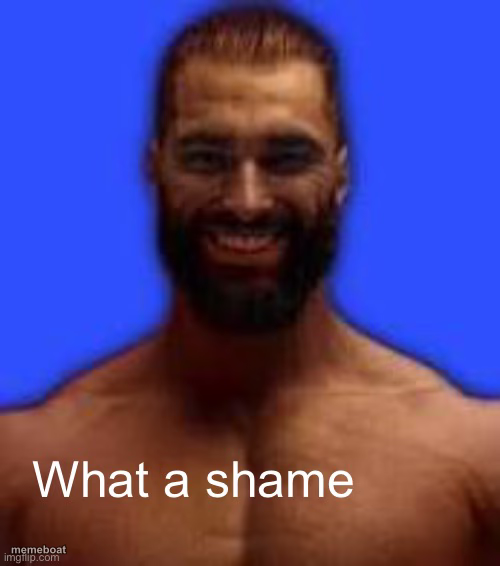
Chiseled, smiling Gigachad against a blue backdrop — the ultimate chad reaction template. Add your caption and download free, no sign-up.
Blank Gigachad Smiling meme template
Download the blank Gigachad Smiling template to caption it yourself, or add your text right here in the editor above and download the finished meme.
When to use the Gigachad Smiling meme
- Reacting to a trivial personal win like it's a major life achievement
- Smugly announcing you did the bare minimum and calling it excellence
- Responding to someone's humble brag with an even bigger flex
- Captioning a screenshot of finishing a boring chore like it's a heroic feat
Gigachad Smiling template facts
- Featuring
- Gigachad (Gigachad meme (photo of Ernest Khalimov / Giga Chad, based on a Volodymyr Zhukov)
- Dimensions
- 500 × 566 px
- Format
- JPG
- Text boxes
- 2
- Added
- 2025
About the Gigachad Smiling meme template
This is Gigachad, the internet's favorite exaggerated alpha-male icon, caught here with an uncharacteristically warm, genuine smile instead of his usual stoic stare. That grin makes him perfect for reactions that flip the smug-chad energy into something wholesome, sarcastic, or absurdly proud.
Use him whenever someone crushes a task effortlessly, flexes a dumb win, or reacts with unearned confidence to something trivial. Drop in your own caption and download it free in seconds — no sign-up required.
Popular Gigachad Smiling caption ideas
Me after replying to one email · before 5pm
Woke up · chose violence and abs
Drank water today · certified hydration legend
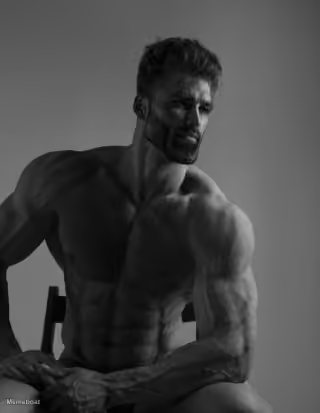
Templates similar to Gigachad Smiling


Gigachad Smiling meme FAQ
How do I make a Gigachad Smiling meme?
Scroll up to the Gigachad Smiling template, type your caption into the 2 text boxes in the editor above, adjust the font, size and color if you like, then click download. Your finished Gigachad Smiling meme is ready to share in seconds.
Can I use the Gigachad Smiling template for free?
Yes. The Gigachad Smiling template is completely free to use — no signup and no limits on how many memes you create or where you share them.
How do I download my Gigachad Smiling meme?
Click the download button under the editor once your Gigachad Smiling meme looks right. It saves straight to your device as a high-quality PNG or JPEG image.
How do I download the blank Gigachad Smiling template?
Use the "Download blank template" button in the blank Gigachad Smiling template section above to save the original, un-captioned image — handy if you'd rather caption it in another app or keep a copy.