
Tinder Meme Generator
Create Your Tinder Meme
The Tinder flame logo, ready for your dating app jokes, swipe-fail stories, and situationship commentary. Caption it and download free.
Blank Tinder meme template
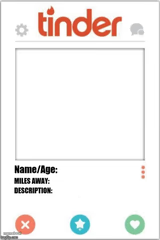
Download the blank Tinder template to caption it yourself, or add your text right here in the editor above and download the finished meme.
When to use the Tinder meme
- Matching with someone and immediately regretting the opening line
- Realizing your match's photos are all from 2015
- Getting unmatched mid-conversation for no reason
- Explaining to your mom what 'talking stage' means
Tinder template facts
- Featuring
- Tinder (Tinder app)
- Dimensions
- 560 × 415 px
- Format
- JPG
- Text boxes
- 2
- Added
- 2025
About the Tinder meme template
It's just the Tinder logo, sitting there on a plain white background, doing absolutely nothing except radiating the collective anxiety of every bad first date ever had.
Use this one for anything swipe-related: getting ghosted, matching with someone who's clearly 15 years older than their photos, or that one bio that's just song lyrics. It's the visual shorthand for modern dating chaos.
Popular Tinder caption ideas
Him: I'm not like other guys · Also him: bio is just a fire emoji
Matched 3 days ago · still staring at 'hey'
My love life · summarized in one flame


Tinder meme FAQ
How do I make a Tinder meme?
Scroll up to the Tinder template, type your caption into the 2 text boxes in the editor above, adjust the font, size and color if you like, then click download. Your finished Tinder meme is ready to share in seconds.
Can I use the Tinder template for free?
Yes. The Tinder template is completely free to use — no signup and no limits on how many memes you create or where you share them.
How do I download my Tinder meme?
Click the download button under the editor once your Tinder meme looks right. It saves straight to your device as a high-quality PNG or JPEG image.
How do I download the blank Tinder template?
Use the "Download blank template" button in the blank Tinder template section above to save the original, un-captioned image — handy if you'd rather caption it in another app or keep a copy.