
There I Am Gary! Meme Generator
Create Your There I Am Gary! Meme
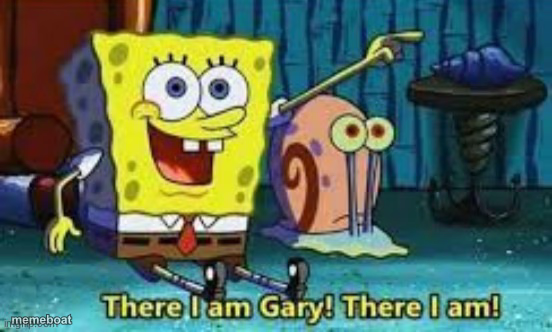
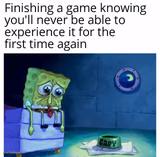
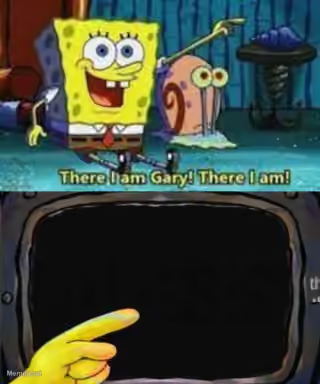
SpongeBob cheerfully spotting his snail Gary — the perfect reaction for finally noticing something obvious or reconnecting with a forgotten friend. Free to caption.
Blank There I Am Gary! meme template
Download the blank There I Am Gary! template to caption it yourself, or add your text right here in the editor above and download the finished meme.
When to use the There I Am Gary! meme
- Finally finding your phone after 20 minutes of searching
- Spotting your dog after being gone all of ten minutes
- Noticing a text you forgot to reply to for a week
- Recognizing a snack you forgot was in the fridge
There I Am Gary! template facts
- Featuring
- SpongeBob and Gary (SpongeBob SquarePants)
- Dimensions
- 552 × 332 px
- Format
- JPG
- Added
- 2025
About the There I Am Gary! meme template
SpongeBob's genuine excitement at simply seeing Gary is oddly relatable — sometimes the smallest reunion deserves the biggest reaction.
Use this for finally spotting your keys, noticing a friend you forgot texted back, or just being way too enthusiastic about something completely mundane. Wholesome chaos energy.

There I Am Gary! meme FAQ
How do I make a There I Am Gary! meme?
Scroll up to the There I Am Gary! template, add your own text boxes in the editor above and type your captions, adjust the font, size and color if you like, then click download. Your finished There I Am Gary! meme is ready to share in seconds.
Can I use the There I Am Gary! template for free?
Yes. The There I Am Gary! template is completely free to use — no signup and no limits on how many memes you create or where you share them.
How do I download my There I Am Gary! meme?
Click the download button under the editor once your There I Am Gary! meme looks right. It saves straight to your device as a high-quality PNG or JPEG image.
How do I download the blank There I Am Gary! template?
Use the "Download blank template" button in the blank There I Am Gary! template section above to save the original, un-captioned image — handy if you'd rather caption it in another app or keep a copy.