
then vs now Meme Generator
Create Your then vs now Meme
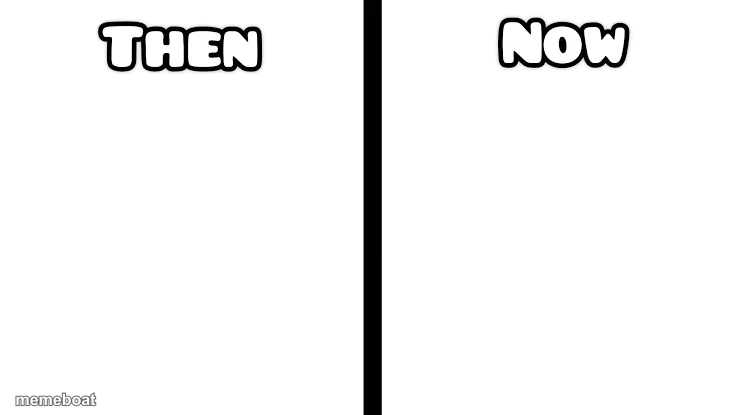
Blank then and now comparison template split by a bold divider, perfect for before-and-after jokes, growth comparisons, or nostalgic contrasts. Caption it free and download instantly.
Blank then vs now meme template
Download the blank then vs now template to caption it yourself, or add your text right here in the editor above and download the finished meme.
When to use the then vs now meme
- nostalgic contrast
- growth or change joke
then vs now template facts
- Dimensions
- 739 × 415 px
- Format
- PNG
- Text boxes
- 2
- Added
- 2025
About the then vs now meme template
The "Then vs Now" meme template has become a staple in internet culture, capturing the humorous contrast between past and present situations. Originating from early social media platforms around 2015, this meme quickly evolved into a viral phenomenon used worldwide to highlight changes over time in a relatable and funny way. Its simple yet effective format resonates deeply with users, making it a popular choice for expressing nostalgia, growth, or ironic comparisons across various social media channels.
Knowing how to use the "Then vs Now" meme template effectively can elevate your social media content and engage your audience with relatable humor. Perfect for illustrating personal transformations, trends, or cultural shifts, this meme is ideal for posting during moments of reflection or commentary. Whether you want to showcase funny reactions or highlight relatable moments, learning how to make a "Then vs Now" meme allows you to tap into viral content trends and boost your online presence with entertaining and shareable posts.
The enduring popularity of the "Then vs Now" meme lies in its versatility and ease of creation. With our free online meme generator, you can instantly create, customize, and personalize your own "Then vs Now" memes without any design skills. This template offers quick results and high viral potential, making it a favorite among meme makers looking to generate funny, trending content. Start creating your own "Then vs Now" memes today and share them across Instagram, Twitter, Facebook, and TikTok to join millions enjoying this hilarious meme culture phenomenon.
Popular then vs now caption ideas
Then · Now
My bank account then · My bank account now
What I planned to do · What I actually did
Templates similar to then vs now


then vs now meme FAQ
How do I make a then vs now meme?
Scroll up to the then vs now template, type your caption into the 2 text boxes in the editor above, adjust the font, size and color if you like, then click download. Your finished then vs now meme is ready to share in seconds.
Can I use the then vs now template for free?
Yes. The then vs now template is completely free to use — no signup and no limits on how many memes you create or where you share them.
How do I download my then vs now meme?
Click the download button under the editor once your then vs now meme looks right. It saves straight to your device as a high-quality PNG or JPEG image.
How do I download the blank then vs now template?
Use the "Download blank template" button in the blank then vs now template section above to save the original, un-captioned image — handy if you'd rather caption it in another app or keep a copy.