
The diamond SpongeBob Meme Generator
Create Your The diamond SpongeBob Meme
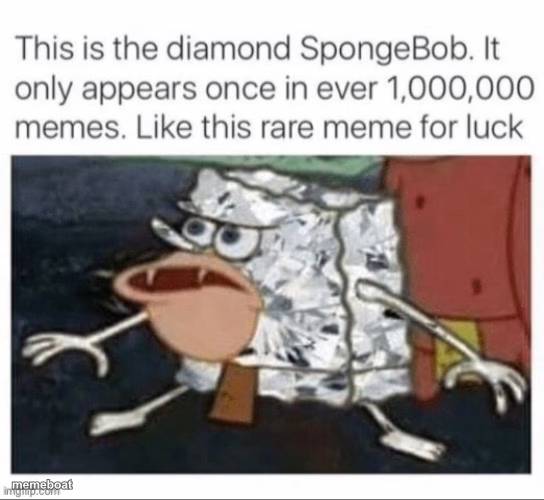
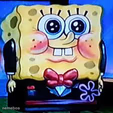
The 'Diamond SpongeBob' rare-meme format: a screencap of SpongeBob's face turned into shiny foil, framed as a luck charm. Add your own caption and download free.
Blank The diamond SpongeBob meme template
Download the blank The diamond SpongeBob template to caption it yourself, or add your text right here in the editor above and download the finished meme.
When to use the The diamond SpongeBob meme
- Faking scarcity for something completely mundane
- Chain-letter 'like for luck' energy but self-aware and ironic
- Announcing a rare pull in any game or trading card context
- Mocking algorithm-bait posts that claim fake rarity
The diamond SpongeBob template facts
- Featuring
- Diamond SpongeBob (SpongeBob SquarePants)
- Dimensions
- 544 × 500 px
- Format
- JPG
- Added
- 2025
About the The diamond SpongeBob meme template
This is the internet's fake-rarity gag taken to its logical extreme: SpongeBob's face rendered as crinkly foil, presented dead serious as a '1 in 1,000,000' collectible you must like for luck. It's a parody of shiny-Pokémon culture wearing a SpongeBob mask.
Templates similar to The diamond SpongeBob



The diamond SpongeBob meme FAQ
How do I make a The diamond SpongeBob meme?
Scroll up to the The diamond SpongeBob template, add your own text boxes in the editor above and type your captions, adjust the font, size and color if you like, then click download. Your finished The diamond SpongeBob meme is ready to share in seconds.
Can I use the The diamond SpongeBob template for free?
Yes. The The diamond SpongeBob template is completely free to use — no signup and no limits on how many memes you create or where you share them.
How do I download my The diamond SpongeBob meme?
Click the download button under the editor once your The diamond SpongeBob meme looks right. It saves straight to your device as a high-quality PNG or JPEG image.
How do I download the blank The diamond SpongeBob template?
Use the "Download blank template" button in the blank The diamond SpongeBob template section above to save the original, un-captioned image — handy if you'd rather caption it in another app or keep a copy.