
spongey Meme Generator
Create Your spongey Meme
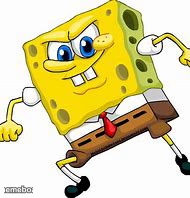
SpongeBob mid-sprint with a determined grin, ready for any caption about rushing, hustling, or chasing something dumb. Free to caption and download.
Blank spongey meme template
Download the blank spongey template to caption it yourself, or add your text right here in the editor above and download the finished meme.
When to use the spongey meme
- Sprinting to catch the door before it locks you out
- Running toward free food at a work event
- Racing your sibling to claim the last slice
- Fleeing responsibilities like a true professional
spongey template facts
- Featuring
- SpongeBob SquarePants
- Dimensions
- 190 × 198 px
- Format
- JPG
- Added
- 2025
About the spongey meme template
SpongeBob's got that wide-eyed, teeth-clenched hustle face going full speed, arms pumping like he's late for a Krabby Patty shift. It's the universal pose for 'I am doing this NOW, no time to explain.'
Use it for anything urgent-but-silly: sprinting to class after snoozing three alarms, racing to the fridge when you hear the ice cream truck, or bolting away from responsibilities in general. High energy, zero dignity, exactly the vibe.
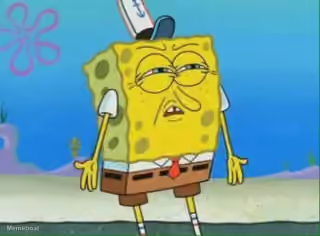
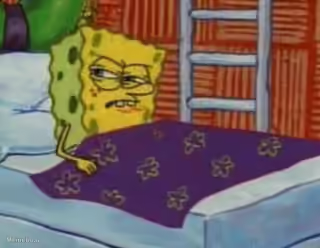
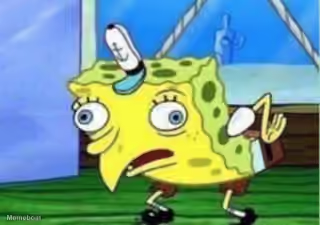
Popular spongey caption ideas
TO PROVE PEOPLE WILL UPVOTE LITERALLY ANYTHING · SPONGEBOB
spongey meme FAQ
How do I make a spongey meme?
Scroll up to the spongey template, add your own text boxes in the editor above and type your captions, adjust the font, size and color if you like, then click download. Your finished spongey meme is ready to share in seconds.
Can I use the spongey template for free?
Yes. The spongey template is completely free to use — no signup and no limits on how many memes you create or where you share them.
How do I download my spongey meme?
Click the download button under the editor once your spongey meme looks right. It saves straight to your device as a high-quality PNG or JPEG image.
How do I download the blank spongey template?
Use the "Download blank template" button in the blank spongey template section above to save the original, un-captioned image — handy if you'd rather caption it in another app or keep a copy.