
stoned fox Meme Generator
Create Your stoned fox Meme
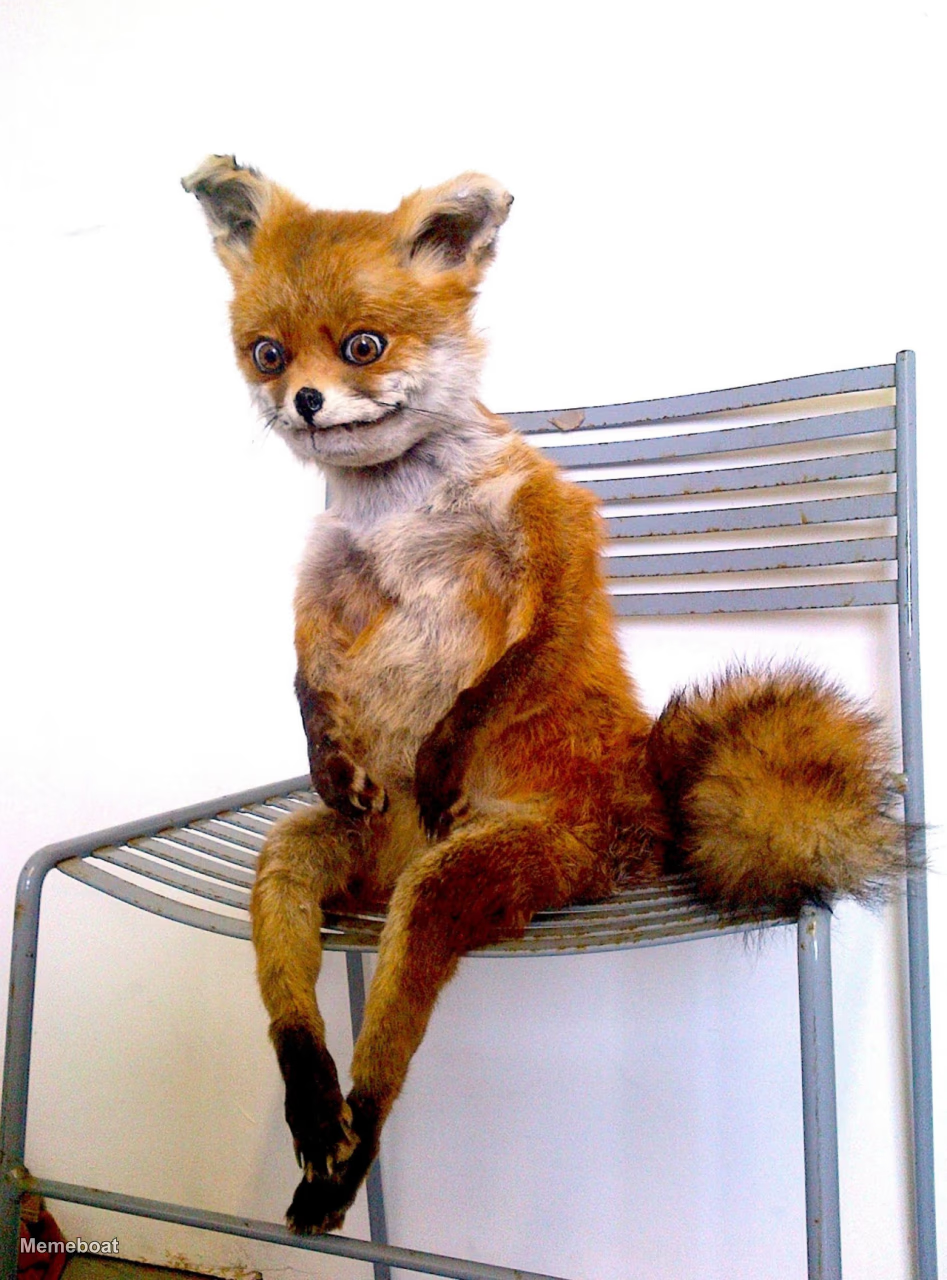
Create stoned fox memes for those dazed, contemplative moments. Add your own caption to express that sleepy, confused feeling and download instantly.
Blank stoned fox meme template
Download the blank stoned fox template to caption it yourself, or add your text right here in the editor above and download the finished meme.
stoned fox template facts
- Dimensions
- 947 × 1280 px
- Format
- JPG
- Added
- 2026
About the stoned fox meme template
Looking for a way to capture that groggy, disoriented feeling? The stoned fox template works perfectly for those moments when you're sitting somewhere, looking dazed and contemplative.
This format shines when describing early morning confusion, post-nap disorientation, or any time you're caught in that blank, staring-into-space mood. The example caption about waking up early and sitting on the bed's edge shows how well it captures those quiet, bewildered moments.
For best results, describe specific situations where you feel mentally foggy or physically still but mentally elsewhere. Focus on relatable daily moments when your brain feels slow to catch up with your body.
Popular stoned fox caption ideas
WHEN YOU WAKE UP EARLY IN THE MORNING AND SIT ON THE EDGE OF THE BED LIKE
Templates similar to stoned fox


stoned fox meme FAQ
How do I make a stoned fox meme?
Scroll up to the stoned fox template, add your own text boxes in the editor above and type your captions, adjust the font, size and color if you like, then click download. Your finished stoned fox meme is ready to share in seconds.
Can I use the stoned fox template for free?
Yes. The stoned fox template is completely free to use — no signup and no limits on how many memes you create or where you share them.
How do I download my stoned fox meme?
Click the download button under the editor once your stoned fox meme looks right. It saves straight to your device as a high-quality PNG or JPEG image.
How do I download the blank stoned fox template?
Use the "Download blank template" button in the blank stoned fox template section above to save the original, un-captioned image — handy if you'd rather caption it in another app or keep a copy.