
PTSD Fox Meme Generator
Create Your PTSD Fox Meme
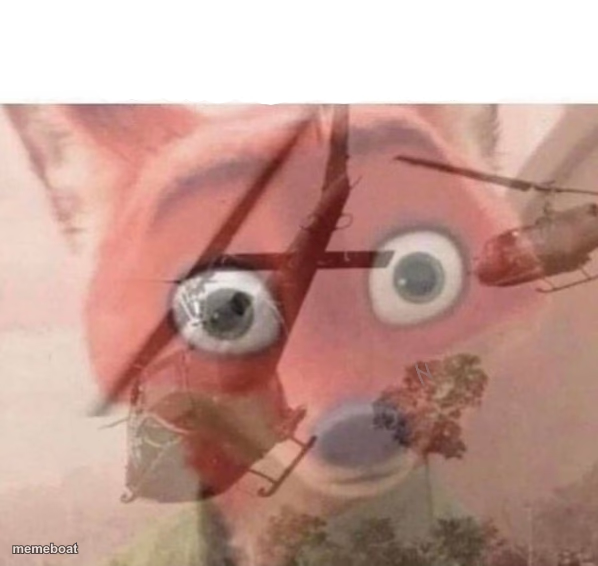
PTSD Fox, the classic glitchy double-exposed fox face with the thousand-yard stare, for captioning any flashback-to-trauma joke. Free to edit and download.
Blank PTSD Fox meme template
Download the blank PTSD Fox template to caption it yourself, or add your text right here in the editor above and download the finished meme.
When to use the PTSD Fox meme
- Hearing a specific song and suddenly reliving a breakup
- A coworker says a phrase your old boss used to scream
- Someone mentions a smell that takes you right back to a bad memory
- Your phone buzzes with a name you thought you'd blocked
PTSD Fox template facts
- Featuring
- PTSD Fox (internet meme)
- Dimensions
- 598 × 566 px
- Format
- PNG
- Added
- 2025
About the PTSD Fox meme template
This one's a certified classic: a fox face warped and layered until it looks like it's mid-nervous-breakdown, complete with a helicopter buzzing through its skull. Nobody explains why it looks like this and honestly that's the joke.
Use it for anything that triggers an instant flashback — a smell, a song, a specific font, an ex's contact name lighting up your phone. It's the visual shorthand for 'my brain just glitched.'
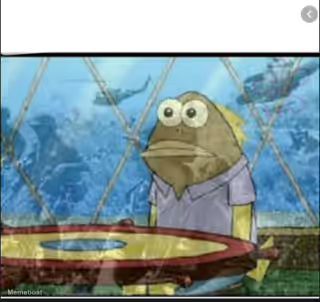
Templates similar to PTSD Fox


PTSD Fox meme FAQ
How do I make a PTSD Fox meme?
Scroll up to the PTSD Fox template, add your own text boxes in the editor above and type your captions, adjust the font, size and color if you like, then click download. Your finished PTSD Fox meme is ready to share in seconds.
Can I use the PTSD Fox template for free?
Yes. The PTSD Fox template is completely free to use — no signup and no limits on how many memes you create or where you share them.
How do I download my PTSD Fox meme?
Click the download button under the editor once your PTSD Fox meme looks right. It saves straight to your device as a high-quality PNG or JPEG image.
How do I download the blank PTSD Fox template?
Use the "Download blank template" button in the blank PTSD Fox template section above to save the original, un-captioned image — handy if you'd rather caption it in another app or keep a copy.