
Sigma Cat Meme Generator
Create Your Sigma Cat Meme
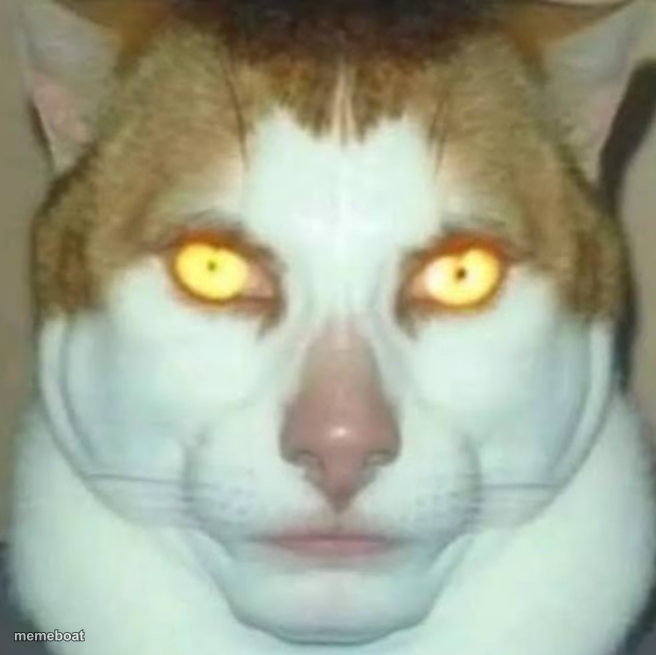
Cat with glowing yellow eyes and an eerie human-blended face stares dead ahead. Perfect for deadpan sigma energy captions. Caption it free, no sign-up.
Blank Sigma Cat meme template
Download the blank Sigma Cat template to caption it yourself, or add your text right here in the editor above and download the finished meme.
When to use the Sigma Cat meme
- When someone asks if you're okay and you just stare
- Reacting to a wild conspiracy theory with total silence
- The look you give your phone at 3am doomscrolling
- Deadpan response to someone's terrible joke
Sigma Cat template facts
- Dimensions
- 656 × 655 px
- Format
- JPG
- Added
- 2025
About the Sigma Cat meme template
Sigma Cat has that unsettling, unbothered stare down to a science — glowing amber eyes, a human-ish nose and mouth fused onto a cat's face, and zero expression. It's the internet's go-to for that 'silent main character' energy, the kind of meme that says everything by saying absolutely nothing.
Use it whenever you need to project cold, detached confidence, or just want to unsettle your group chat with a face that looks a little too human. Drop your own top and bottom text and let the void eyes do the talking.
Popular Sigma Cat caption ideas
POV: MY BRAINCELLS 24/7 · SIGMA
Templates similar to Sigma Cat



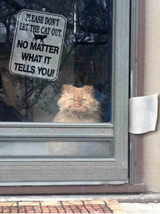
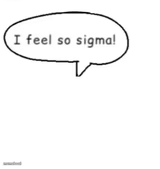
Sigma Cat meme FAQ
How do I make a Sigma Cat meme?
Scroll up to the Sigma Cat template, add your own text boxes in the editor above and type your captions, adjust the font, size and color if you like, then click download. Your finished Sigma Cat meme is ready to share in seconds.
Can I use the Sigma Cat template for free?
Yes. The Sigma Cat template is completely free to use — no signup and no limits on how many memes you create or where you share them.
How do I download my Sigma Cat meme?
Click the download button under the editor once your Sigma Cat meme looks right. It saves straight to your device as a high-quality PNG or JPEG image.
How do I download the blank Sigma Cat template?
Use the "Download blank template" button in the blank Sigma Cat template section above to save the original, un-captioned image — handy if you'd rather caption it in another app or keep a copy.