
RWBY Reaction Meme Generator
Create Your RWBY Reaction Meme

Team RWBY reacting to whatever picture you drop in the middle — the go-to anime reaction format for fan edits. Caption and download free.
Blank RWBY Reaction meme template
Download the blank RWBY Reaction template to caption it yourself, or add your text right here in the editor above and download the finished meme.
When to use the RWBY Reaction meme
- Reacting as a group to a plot twist in your favorite show
- Friend group seeing the group chat screenshot for the first time
- Everyone staring at the one person who broke the vibe
RWBY Reaction template facts
- Featuring
- Team RWBY (RWBY)
- Dimensions
- 756 × 1280 px
- Format
- JPG
- Added
- 2025
About the RWBY Reaction meme template
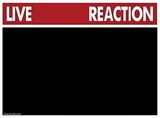
Yang, Weiss, Blake and Ruby stand around staring at a blank slot that says 'put picture here,' repeated top and bottom like they're double-checking their own reaction. It's built for the classic anime-fandom move: drop in whatever cursed image, screenshot, or plot twist you want the girls to be horrified/delighted/confused by.
Great for fandom jokes, 'me explaining X to my friends' bits, or just captioning their expressions directly since honestly their faces already sell half the joke.
Templates similar to RWBY Reaction





RWBY Reaction meme FAQ
How do I make a RWBY Reaction meme?
Scroll up to the RWBY Reaction template, add your own text boxes in the editor above and type your captions, adjust the font, size and color if you like, then click download. Your finished RWBY Reaction meme is ready to share in seconds.
Can I use the RWBY Reaction template for free?
Yes. The RWBY Reaction template is completely free to use — no signup and no limits on how many memes you create or where you share them.
How do I download my RWBY Reaction meme?
Click the download button under the editor once your RWBY Reaction meme looks right. It saves straight to your device as a high-quality PNG or JPEG image.
How do I download the blank RWBY Reaction template?
Use the "Download blank template" button in the blank RWBY Reaction template section above to save the original, un-captioned image — handy if you'd rather caption it in another app or keep a copy.