
Russian_Tsarist_8 Bingo Meme Generator
Create Your Russian_Tsarist_8 Bingo Meme
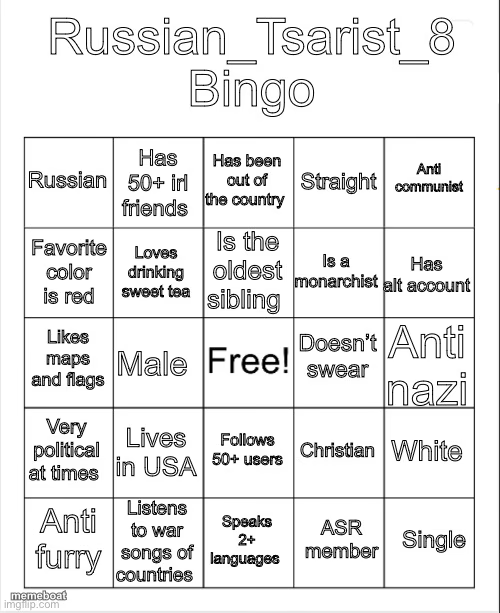
A blank bingo-card template with quirky personality trait squares — swap in your own labels for a custom callout bingo card. Free to edit and download.
Blank Russian_Tsarist_8 Bingo meme template
Download the blank Russian_Tsarist_8 Bingo template to caption it yourself, or add your text right here in the editor above and download the finished meme.
When to use the Russian_Tsarist_8 Bingo meme
- Roasting a specific type of person you keep running into online
- Making a callout bingo for your friend group's personality quirks
- Satirizing a stereotype trait by trait
- Turning any niche fandom archetype into a checklist meme
Russian_Tsarist_8 Bingo template facts
- Dimensions
- 500 × 613 px
- Format
- JPG
- Added
- 2025
About the Russian_Tsarist_8 Bingo meme template
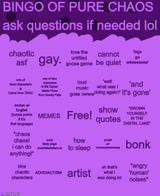
A classic 5x5 bingo card format loaded with hyper-specific personality traits, the kind of format internet communities use to gently roast a type of person by checking off traits one by one. This one's themed around online political-identity stereotypes, but the format is endlessly reusable.
Templates similar to Russian_Tsarist_8 Bingo



Russian_Tsarist_8 Bingo meme FAQ
How do I make a Russian_Tsarist_8 Bingo meme?
Scroll up to the Russian_Tsarist_8 Bingo template, add your own text boxes in the editor above and type your captions, adjust the font, size and color if you like, then click download. Your finished Russian_Tsarist_8 Bingo meme is ready to share in seconds.
Can I use the Russian_Tsarist_8 Bingo template for free?
Yes. The Russian_Tsarist_8 Bingo template is completely free to use — no signup and no limits on how many memes you create or where you share them.
How do I download my Russian_Tsarist_8 Bingo meme?
Click the download button under the editor once your Russian_Tsarist_8 Bingo meme looks right. It saves straight to your device as a high-quality PNG or JPEG image.
How do I download the blank Russian_Tsarist_8 Bingo template?
Use the "Download blank template" button in the blank Russian_Tsarist_8 Bingo template section above to save the original, un-captioned image — handy if you'd rather caption it in another app or keep a copy.