
Rover The Search Dog Meme Generator
Create Your Rover The Search Dog Meme
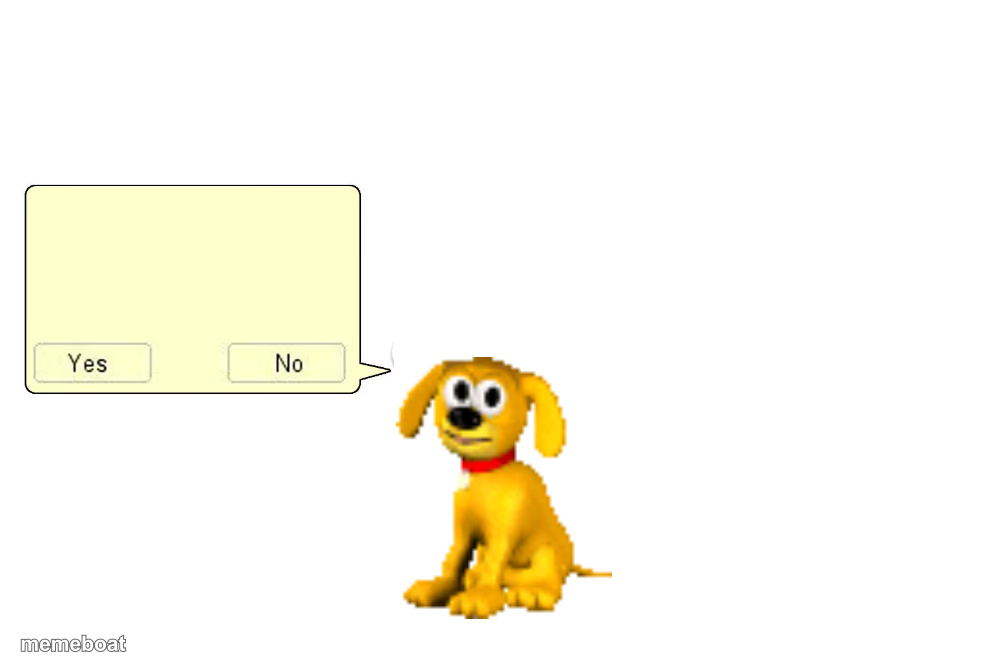
Rover, the old Windows XP search dog, sitting next to a Yes/No dialogue box. Perfect for awkward questions with only two options. Caption and download free.
Blank Rover The Search Dog meme template
Download the blank Rover The Search Dog template to caption it yourself, or add your text right here in the editor above and download the finished meme.
When to use the Rover The Search Dog meme
- Asking a loaded question where both answers are bad
- Nostalgia bait for anyone who grew up with Windows XP
- A fake system dialog box making fun of an awkward life decision
- Any either-or question with no good outcome
Rover The Search Dog template facts
- Featuring
- Rover (Windows XP Search Companion)
- Dimensions
- 1000 × 665 px
- Format
- PNG
- Text boxes
- 2
- Added
- 2025
About the Rover The Search Dog meme template
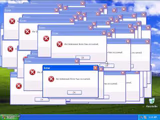
Rover was the animated golden retriever who used to pop up in Windows XP whenever you searched for a file, wagging his tail while you decided if he was helpful or deeply unnecessary. Here he's back with a classic Yes/No prompt box, patiently waiting on an answer nobody really wants to give.
Templates similar to Rover The Search Dog



Rover The Search Dog meme FAQ
How do I make a Rover The Search Dog meme?
Scroll up to the Rover The Search Dog template, type your caption into the 2 text boxes in the editor above, adjust the font, size and color if you like, then click download. Your finished Rover The Search Dog meme is ready to share in seconds.
Can I use the Rover The Search Dog template for free?
Yes. The Rover The Search Dog template is completely free to use — no signup and no limits on how many memes you create or where you share them.
How do I download my Rover The Search Dog meme?
Click the download button under the editor once your Rover The Search Dog meme looks right. It saves straight to your device as a high-quality PNG or JPEG image.
How do I download the blank Rover The Search Dog template?
Use the "Download blank template" button in the blank Rover The Search Dog template section above to save the original, un-captioned image — handy if you'd rather caption it in another app or keep a copy.