
rotbop Meme Generator
Create Your rotbop Meme

A young guy in glasses staring dead into the camera with total confusion — the go-to reaction for 'wait, what?' moments. Free to caption and download.
Blank rotbop meme template
Download the blank rotbop template to caption it yourself, or add your text right here in the editor above and download the finished meme.
When to use the rotbop meme
- Reading the terms and conditions and hitting a sentence that makes zero sense
- Someone explains crypto to you for the third time
- Teacher says 'this won't be on the test' right before it's on the test
- IKEA instructions step 7
rotbop template facts
- Dimensions
- 283 × 269 px
- Format
- PNG
- Text boxes
- 1
- Added
- 2025
About the rotbop meme template
Just a guy, close up, glasses slightly crooked, eyes wide with the specific blankness of someone who just heard something that broke their brain. No context needed, that's the whole appeal.
Drop it under any statement that makes no sense, any instruction that contradicts itself, or any time someone explains something and it only raises more questions.
Popular rotbop caption ideas
1 UPVOTE=1 RIOTER DEAD · WHICH WILL YOU CHOOSE
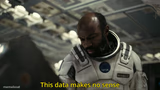
Wait, so we're NOT getting paid this Friday?
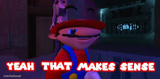
When the recipe says 'season to taste'
Her: it's not that deep Me, 3am, still thinking about it


rotbop meme FAQ
How do I make a rotbop meme?
Scroll up to the rotbop template, type your caption into the text box in the editor above, adjust the font, size and color if you like, then click download. Your finished rotbop meme is ready to share in seconds.
Can I use the rotbop template for free?
Yes. The rotbop template is completely free to use — no signup and no limits on how many memes you create or where you share them.
How do I download my rotbop meme?
Click the download button under the editor once your rotbop meme looks right. It saves straight to your device as a high-quality PNG or JPEG image.
How do I download the blank rotbop template?
Use the "Download blank template" button in the blank rotbop template section above to save the original, un-captioned image — handy if you'd rather caption it in another app or keep a copy.