
Ron Swanson Angry Stare Meme Generator
Create Your Ron Swanson Angry Stare Meme

Ron Swanson glaring intensely with furrowed brows, ideal for expressing frustration, quiet rage, or judging someone's terrible decision. Caption it free and download instantly.
Blank Ron Swanson Angry Stare meme template
Download the blank Ron Swanson Angry Stare template to caption it yourself, or add your text right here in the editor above and download the finished meme.
When to use the Ron Swanson Angry Stare meme
- barely contained frustration
- reacting to a dumb decision
Ron Swanson Angry Stare template facts
- Dimensions
- 505 × 492 px
- Format
- PNG
- Text boxes
- 2
- Added
- 2025
About the Ron Swanson Angry Stare meme template
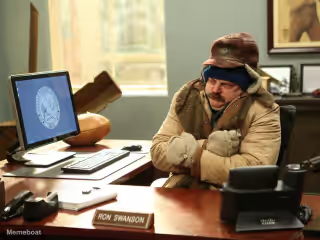
Ron Swanson from Parks and Recreation stares hard into the camera with narrowed eyes, a thick dark mustache and tight, pressed lips, wearing a maroon polo shirt. Used to show barely contained frustration or to react to a dumb decision with a silent, withering glare.
Popular Ron Swanson Angry Stare caption ideas
My face when the wifi drops · Mid game
When they say "it's just a suggestion" · It is not a suggestion
Templates similar to Ron Swanson Angry Stare




Ron Swanson Angry Stare meme FAQ
How do I make a Ron Swanson Angry Stare meme?
Scroll up to the Ron Swanson Angry Stare template, type your caption into the 2 text boxes in the editor above, adjust the font, size and color if you like, then click download. Your finished Ron Swanson Angry Stare meme is ready to share in seconds.
Can I use the Ron Swanson Angry Stare template for free?
Yes. The Ron Swanson Angry Stare template is completely free to use — no signup and no limits on how many memes you create or where you share them.
How do I download my Ron Swanson Angry Stare meme?
Click the download button under the editor once your Ron Swanson Angry Stare meme looks right. It saves straight to your device as a high-quality PNG or JPEG image.
How do I download the blank Ron Swanson Angry Stare template?
Use the "Download blank template" button in the blank Ron Swanson Angry Stare template section above to save the original, un-captioned image — handy if you'd rather caption it in another app or keep a copy.