
ring camera Meme Generator
Create Your ring camera Meme
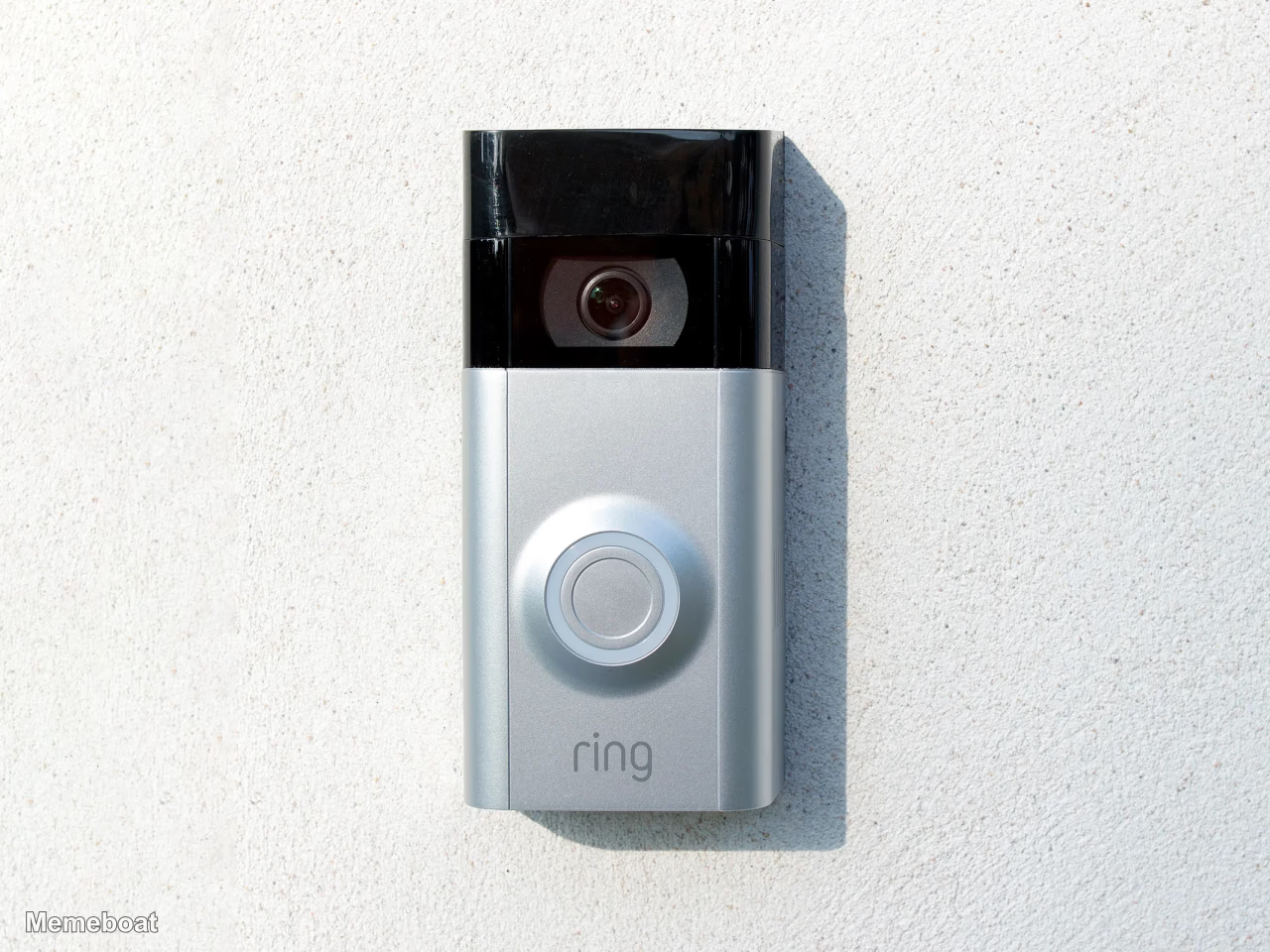
Close-up of a Ring video doorbell mounted on a stucco wall. Perfect for package-thief, nosy-neighbor, or home-security jokes — caption and download free.
Blank ring camera meme template
Download the blank ring camera template to caption it yourself, or add your text right here in the editor above and download the finished meme.
When to use the ring camera meme
- Someone getting caught doing something they shouldn't on camera
- Porch pirate reaction videos
- Overly nosy neighbor energy
- The doorbell that knows too much
ring camera template facts
- Featuring
- Ring Video Doorbell (Ring)
- Dimensions
- 1280 × 960 px
- Format
- JPG
- Text boxes
- 2
- Added
- 2026
About the ring camera meme template
The little camera that's watching everything. This Ring doorbell has become the unofficial narrator of suburban life — catching porch pirates, awkward delivery dances, and that one neighbor who really wants to know what's going on.
Popular ring camera caption ideas
UH WE WILL HELP FIND YOUR DOG.. (WINK WINK)
Ring notification at 3am: · just a raccoon judging your life choices
Me pretending I don't see the delivery guy · Ring camera: I saw that
This doorbell has seen more drama · than most reality TV shows
Templates similar to ring camera






ring camera meme FAQ
How do I make a ring camera meme?
Scroll up to the ring camera template, type your caption into the 2 text boxes in the editor above, adjust the font, size and color if you like, then click download. Your finished ring camera meme is ready to share in seconds.
Can I use the ring camera template for free?
Yes. The ring camera template is completely free to use — no signup and no limits on how many memes you create or where you share them.
How do I download my ring camera meme?
Click the download button under the editor once your ring camera meme looks right. It saves straight to your device as a high-quality PNG or JPEG image.
How do I download the blank ring camera template?
Use the "Download blank template" button in the blank ring camera template section above to save the original, un-captioned image — handy if you'd rather caption it in another app or keep a copy.