Retirement Meme Generator
Create Your Retirement Meme

An older man in a straw hat relaxing beachside with a drink, staring at the ocean — the ultimate 'I'm done working' image. Caption it and download free.
Blank Retirement meme template
Download the blank Retirement template to caption it yourself, or add your text right here in the editor above and download the finished meme.
When to use the Retirement meme
- Daydreaming about retirement during a boring meeting
- Finally submitting the project after months of work
- Ignoring your phone notifications on purpose
- Ghosting your responsibilities for one perfect afternoon
Retirement template facts
- Dimensions
- 301 × 200 px
- Format
- JPG
- Added
- 2025
About the Retirement meme template
Straw hat, blue chair, drink in hand, ocean stretching out forever — this is what people picture when they say 'I just want to retire already.' No stress, no meetings, just vibes and a view.
Use it for anything that screams checked-out contentment: finally finishing a huge project, quitting a job you hated, or just fantasizing about the day you never have to set an alarm again.
Popular Retirement caption ideas
LOOKS LIKE I'M RETIRED I'M MSMG NOW SINCE I'M PERMA-BANNED · AT LEAST I STILL HAVE THE FUN STREAM AND ALL OTHER STREAMS
Templates similar to Retirement

Retirement Village Sign
Thanos Farmer Retirement
Daniel Huang Dream Job: Retirement

John Cena Leaving the Shoes in the Center of the Ring
Messi "Because of My Age, the Most Logical Thing Is That I Won't Make It"

Beach Chair Vacation

Tropical Island Paradise
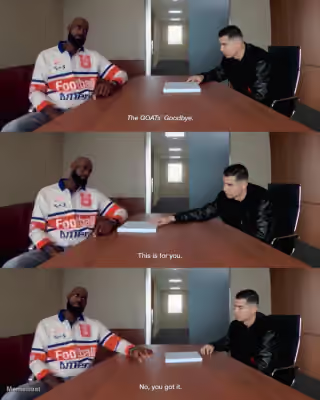
LeBron James and Cristiano Ronaldo "This Is for You. No, You Got It."
Retirement meme FAQ
How do I make a Retirement meme?
Scroll up to the Retirement template, add your own text boxes in the editor above and type your captions, adjust the font, size and color if you like, then click download. Your finished Retirement meme is ready to share in seconds.
Can I use the Retirement template for free?
Yes. The Retirement template is completely free to use — no signup and no limits on how many memes you create or where you share them.
How do I download my Retirement meme?
Click the download button under the editor once your Retirement meme looks right. It saves straight to your device as a high-quality PNG or JPEG image.
How do I download the blank Retirement template?
Use the "Download blank template" button in the blank Retirement template section above to save the original, un-captioned image — handy if you'd rather caption it in another app or keep a copy.