Remember him? Meme Generator
Create Your Remember him? Meme
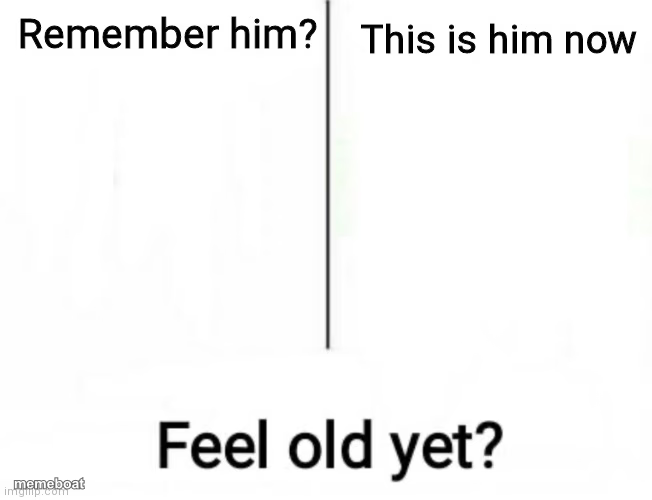
A split panel asking if you remember someone, then how they look now, ending with feel old yet. Perfect for nostalgia jokes and callback humor. Caption and download free.
Blank Remember him? meme template
Download the blank Remember him? template to caption it yourself, or add your text right here in the editor above and download the finished meme.
When to use the Remember him? meme
- nostalgia callback
- before and after reveal
- aging jokes
- remember when
Remember him? template facts
- Dimensions
- 652 × 500 px
- Format
- JPG
- Text boxes
- 2
- Added
- 2025
About the Remember him? meme template
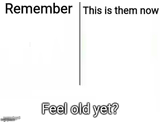
A two-panel template with a vertical divider. The top left reads "Remember him?" and the top right reads "This is him now", with both halves left blank for a picture to fill. The bottom reads "Feel old yet?" in large black letters. Used for a before and after reveal of someone who has aged or changed over the years, with a light nostalgia joke.
Popular Remember him? caption ideas
Remember your metabolism? · This is it now
Remember when gas was $2? · Feel old yet?
Remember your favorite show? · It got cancelled years ago
Templates similar to Remember him?

Remember him? meme FAQ
How do I make a Remember him? meme?
Scroll up to the Remember him? template, type your caption into the 2 text boxes in the editor above, adjust the font, size and color if you like, then click download. Your finished Remember him? meme is ready to share in seconds.
Can I use the Remember him? template for free?
Yes. The Remember him? template is completely free to use — no signup and no limits on how many memes you create or where you share them.
How do I download my Remember him? meme?
Click the download button under the editor once your Remember him? meme looks right. It saves straight to your device as a high-quality PNG or JPEG image.
How do I download the blank Remember him? template?
Use the "Download blank template" button in the blank Remember him? template section above to save the original, un-captioned image — handy if you'd rather caption it in another app or keep a copy.