
Superman Awkward Pose Meme Generator
Create Your Superman Awkward Pose Meme

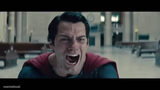
Superman twisted mid-air into his infamous awkward flying pose, stamped with a red X and green check. Caption your own right-vs-wrong take and download free.
Blank Superman Awkward Pose meme template
Download the blank Superman Awkward Pose template to caption it yourself, or add your text right here in the editor above and download the finished meme.
When to use the Superman Awkward Pose meme
- Comparing 'how I think I look' vs 'how I actually look' doing something athletic
- Mocking an awkward CGI moment or bad character redesign
- Before/after comparisons where the 'before' is comically overdone
Superman Awkward Pose template facts
- Dimensions
- 889 × 500 px
- Format
- PNG
- Text boxes
- 2
- Added
- 2026
- Memes made
- 1
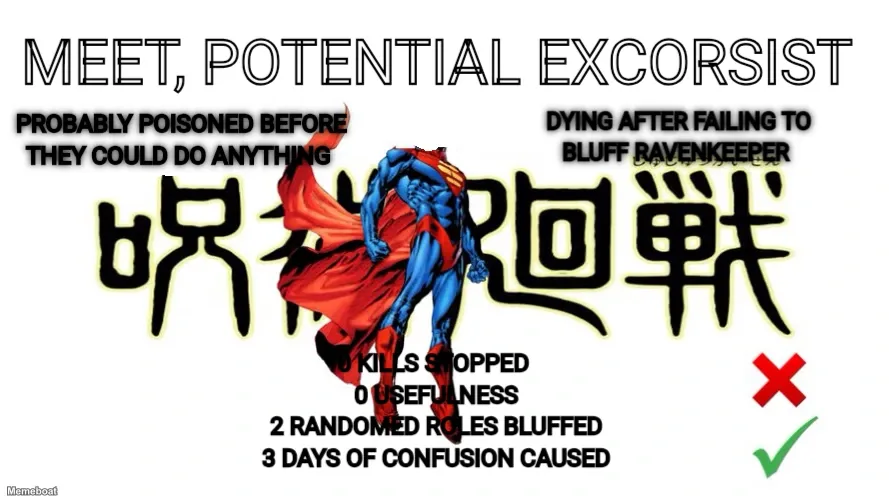
About the Superman Awkward Pose meme template
Superman's cape is doing more acting than his face in this one. This is the awkward, twisted-up flying pose that broke the internet when the new Superman footage dropped — arms bent at angles that shouldn't be legal for a Kryptonian, hovering next to a big red X and a green checkmark like he's the wrong answer on someone's test.
It's a built-in right-vs-wrong template: cross out the bad take, check off the correct one, and let Superman's cursed pose be the punchline in between. Works for anything you want to rank as objectively incorrect. Customize the text and download it free, no sign-up required.
Popular Superman Awkward Pose caption ideas
Meet Potential Gravel! "Gravel is useful" "Gravel is an important building material" "Gravel is used to build roads" · They call me 007 0 reason to be used 0 aesthetic value 7 billion dollar industry · Be useful and look good · Give me use cases Give me buyers Give me a rock crusher Or I retire · Be a bunch of crushed rocks
USING 10 LIBRARIES FOR ONE FUNCTION · WRITING IT YOURSELF
TEXTING 'WYD' AT 2AM · JUST ASKING THEM TO HANG OUT
FLEXING ON MAIN · TOUCHING GRASS
Templates similar to Superman Awkward Pose




Superman Awkward Pose meme FAQ
How do I make a Superman Awkward Pose meme?
Scroll up to the Superman Awkward Pose template, type your caption into the 2 text boxes in the editor above, adjust the font, size and color if you like, then click download. Your finished Superman Awkward Pose meme is ready to share in seconds.
Can I use the Superman Awkward Pose template for free?
Yes. The Superman Awkward Pose template is completely free to use — no signup and no limits on how many memes you create or where you share them.
How do I download my Superman Awkward Pose meme?
Click the download button under the editor once your Superman Awkward Pose meme looks right. It saves straight to your device as a high-quality PNG or JPEG image.
How do I download the blank Superman Awkward Pose template?
Use the "Download blank template" button in the blank Superman Awkward Pose template section above to save the original, un-captioned image — handy if you'd rather caption it in another app or keep a copy.