
MC Y is for Yeet Meme Generator
Create Your MC Y is for Yeet Meme
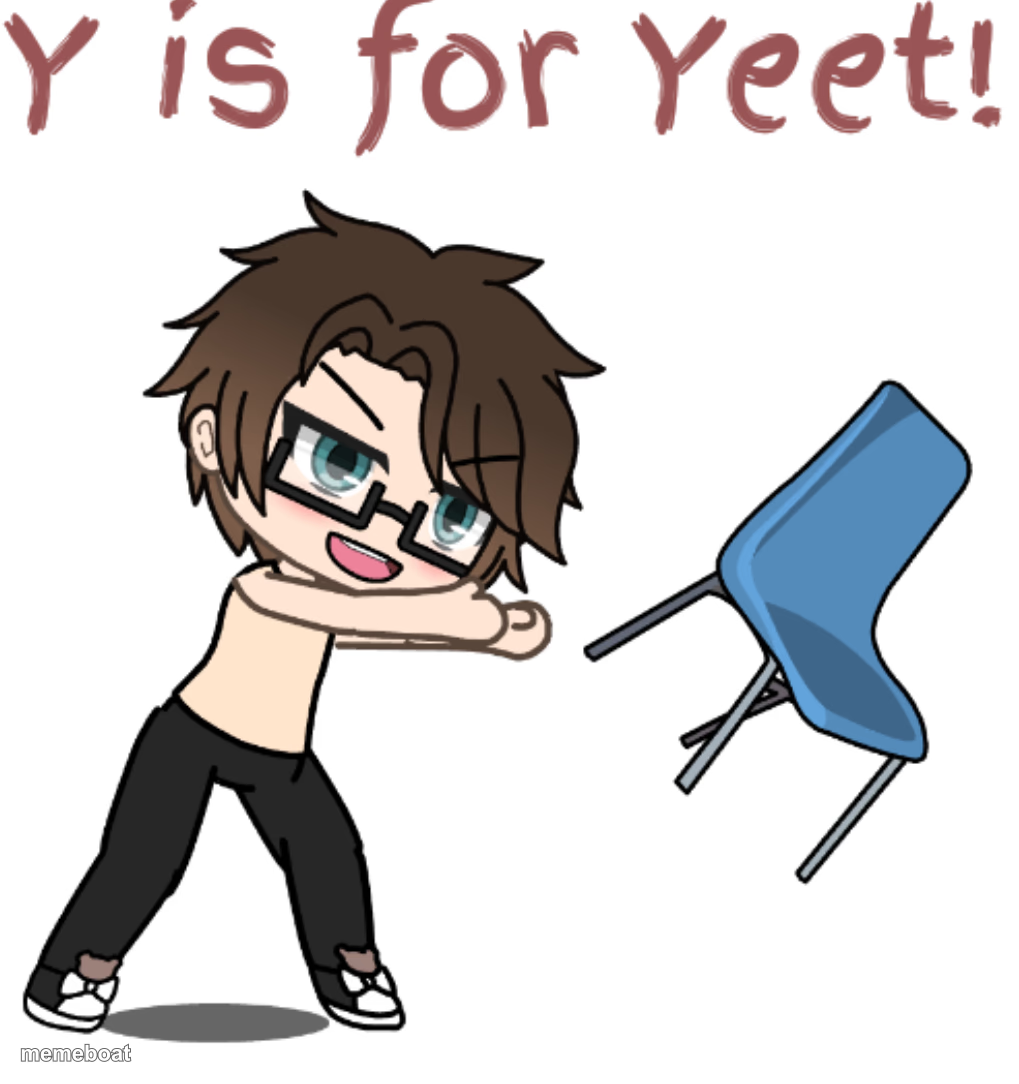
Chibi gacha character mid-yeet, chucking a chair with full commitment. Great for anything you're throwing across the room, literally or emotionally.
Blank MC Y is for Yeet meme template
Download the blank MC Y is for Yeet template to caption it yourself, or add your text right here in the editor above and download the finished meme.
When to use the MC Y is for Yeet meme
- Tossing your phone after seeing a bad grade or a bad text
- Throwing your responsibilities out the window on a Friday
- Reacting to literally anything by launching the nearest object
MC Y is for Yeet template facts
- Dimensions
- 1019 × 1084 px
- Format
- PNG
- Text boxes
- 2
- Added
- 2025
About the MC Y is for Yeet meme template
A cartoon chibi boy winds up and launches a blue chair like it owes him money, big alphabet-book energy with 'Y is for Yeet' scrawled up top. It's chaotic, it's committed, it's exactly the vibe when you've had enough.
Popular MC Y is for Yeet caption ideas
My diet plan · Also my diet plan
Group project deadline hits · Me tossing my laptop out the window
When the WiFi buffers one more time · The router
Templates similar to MC Y is for Yeet


MC Y is for Yeet meme FAQ
How do I make a MC Y is for Yeet meme?
Scroll up to the MC Y is for Yeet template, type your caption into the 2 text boxes in the editor above, adjust the font, size and color if you like, then click download. Your finished MC Y is for Yeet meme is ready to share in seconds.
Can I use the MC Y is for Yeet template for free?
Yes. The MC Y is for Yeet template is completely free to use — no signup and no limits on how many memes you create or where you share them.
How do I download my MC Y is for Yeet meme?
Click the download button under the editor once your MC Y is for Yeet meme looks right. It saves straight to your device as a high-quality PNG or JPEG image.
How do I download the blank MC Y is for Yeet template?
Use the "Download blank template" button in the blank MC Y is for Yeet template section above to save the original, un-captioned image — handy if you'd rather caption it in another app or keep a copy.