Loading...
Loading...
Make hilarious I'll Allow It memes instantly with our free generator. Create viral content in seconds—no signup required! Start sharing your funny memes now.
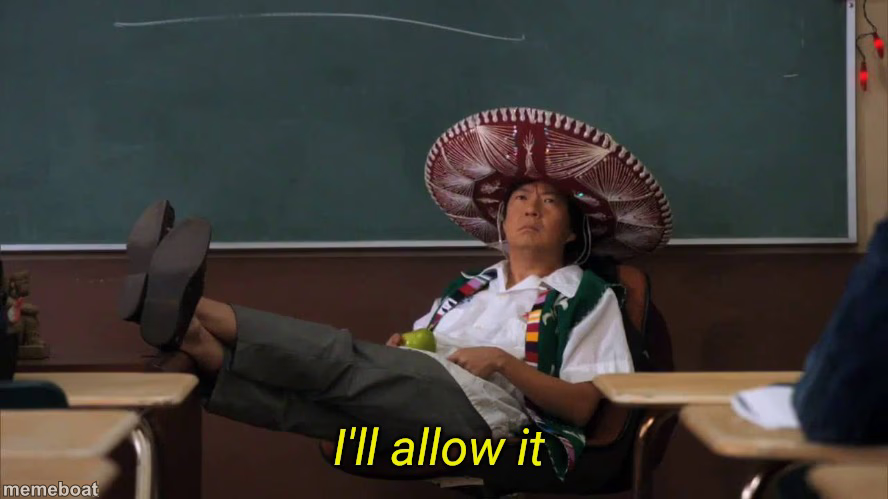
The "I'll Allow It" meme template originates from a memorable scene in the TV show "The Office," where the character Michael Scott humorously grants permission with a quirky expression. Since its viral emergence around 2019 on platforms like Reddit and Twitter, this meme has become a staple in internet culture, symbolizing reluctant approval or humorous consent. Its widespread appeal is rooted in relatable social situations, making it a viral phenomenon embraced across social media.
Knowing how to use the "I'll Allow It" meme effectively can elevate your social media content with humor and relatability. Perfect for expressing funny reactions or playful acceptance, this template shines in scenarios where you want to convey a lighthearted "okay" or "fine" response. Whether you're posting on Instagram, Facebook, TikTok, or Twitter, understanding when to post this meme—such as in response to unexpected but acceptable ideas—can boost engagement and connect with your audience through relatable moments.
The popularity of the "I'll Allow It" meme endures because it’s easy to create, customize, and share instantly. With our online meme maker, you can generate personalized versions without any design skills, producing viral content quickly. This meme’s shareability on social media platforms helps you tap into trending internet culture and meme phenomena, maximizing laughs and social engagement. Start creating your own "I'll Allow It" memes now—easy, free, and ready to go viral with just a few clicks!
Scroll up to the I'll allow it template, add your own text boxes in the editor above and type your captions, adjust the font, size and color if you like, then click download. Your finished I'll allow it meme is ready to share in seconds.
Yes. The I'll allow it template is completely free to use — no signup, no watermark and no limits on how many memes you create or where you share them.
Click the download button under the editor once your I'll allow it meme looks right. It saves straight to your device as a high-quality PNG or JPEG image.