
Shocked Rabbid Meme Generator
Create Your Shocked Rabbid Meme
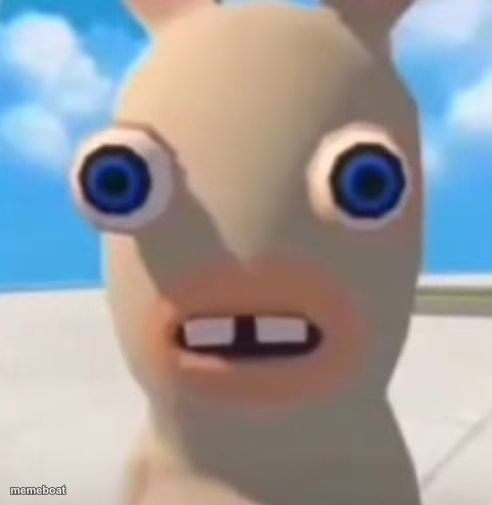
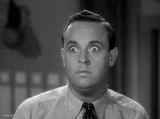
A wide-eyed Rabbid with a gap-toothed shocked expression — the perfect blank stare of disbelief. Free to caption and download.
Blank Shocked Rabbid meme template
Download the blank Shocked Rabbid template to caption it yourself, or add your text right here in the editor above and download the finished meme.
When to use the Shocked Rabbid meme
- The face you make when someone says something unhinged with total confidence
- Processing bad news in real time and your brain just buffers
- Getting caught completely off guard by a plot twist
Shocked Rabbid template facts
- Featuring
- Rabbid (Raving Rabbids)
- Dimensions
- 492 × 505 px
- Format
- PNG
- Text boxes
- 1
- Added
- 2025
About the Shocked Rabbid meme template
Bulging blue eyes, two crooked front teeth, and a face that says 'I did not process that information correctly.' The Rabbid stare is basically the visual definition of buffering.
Great for any moment where your brain just... stops, whether it's shock, confusion, or straight-up betrayal.
Popular Shocked Rabbid caption ideas
When they say 'we need to talk'
Me hearing the total at checkout
When autocorrect sends the message before you can stop it
Templates similar to Shocked Rabbid




Shocked Rabbid meme FAQ
How do I make a Shocked Rabbid meme?
Scroll up to the Shocked Rabbid template, type your caption into the text box in the editor above, adjust the font, size and color if you like, then click download. Your finished Shocked Rabbid meme is ready to share in seconds.
Can I use the Shocked Rabbid template for free?
Yes. The Shocked Rabbid template is completely free to use — no signup and no limits on how many memes you create or where you share them.
How do I download my Shocked Rabbid meme?
Click the download button under the editor once your Shocked Rabbid meme looks right. It saves straight to your device as a high-quality PNG or JPEG image.
How do I download the blank Shocked Rabbid template?
Use the "Download blank template" button in the blank Shocked Rabbid template section above to save the original, un-captioned image — handy if you'd rather caption it in another app or keep a copy.