
[[Hyperlink Blocked]] Meme Generator
Create Your [[Hyperlink Blocked]] Meme
![[[Hyperlink Blocked]] - meme generator image preview](https://ik.imagekit.io/memeboat/memes/hyperlink-blocked-59250)
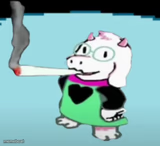
Pixel-art Deltarune scene with the iconic '[[Hyperlink Blocked]]' dialogue box. Great for censoring your own chaos. Caption it free and share it now.
Blank [[Hyperlink Blocked]] meme template
Download the blank [[Hyperlink Blocked]] template to caption it yourself, or add your text right here in the editor above and download the finished meme.
When to use the [[Hyperlink Blocked]] meme
- Getting asked what really happened last night
- Someone asking for your honest opinion of their ex
- Dodging a question you definitely know the answer to
- The system censoring you right before you say something unhinged
[[Hyperlink Blocked]] template facts
- Featuring
- Spamton (Deltarune)
- Dimensions
- 333 × 245 px
- Format
- PNG
- Added
- 2025
About the [[Hyperlink Blocked]] meme template
Straight out of Deltarune — two pixel sprites standing in a dim shop while the dialogue box drops the classic '[[Hyperlink Blocked]]' line, like the game itself just cut off whatever unhinged thing was about to be said.
Use it whenever you need to censor yourself, dodge a question, or pretend the internet just ate your response before you said something you shouldn't have.
Templates similar to [[Hyperlink Blocked]]



[[Hyperlink Blocked]] meme FAQ
How do I make a [[Hyperlink Blocked]] meme?
Scroll up to the [[Hyperlink Blocked]] template, add your own text boxes in the editor above and type your captions, adjust the font, size and color if you like, then click download. Your finished [[Hyperlink Blocked]] meme is ready to share in seconds.
Can I use the [[Hyperlink Blocked]] template for free?
Yes. The [[Hyperlink Blocked]] template is completely free to use — no signup and no limits on how many memes you create or where you share them.
How do I download my [[Hyperlink Blocked]] meme?
Click the download button under the editor once your [[Hyperlink Blocked]] meme looks right. It saves straight to your device as a high-quality PNG or JPEG image.
How do I download the blank [[Hyperlink Blocked]] template?
Use the "Download blank template" button in the blank [[Hyperlink Blocked]] template section above to save the original, un-captioned image — handy if you'd rather caption it in another app or keep a copy.