
Heavy Ascending Meme Generator
Create Your Heavy Ascending Meme
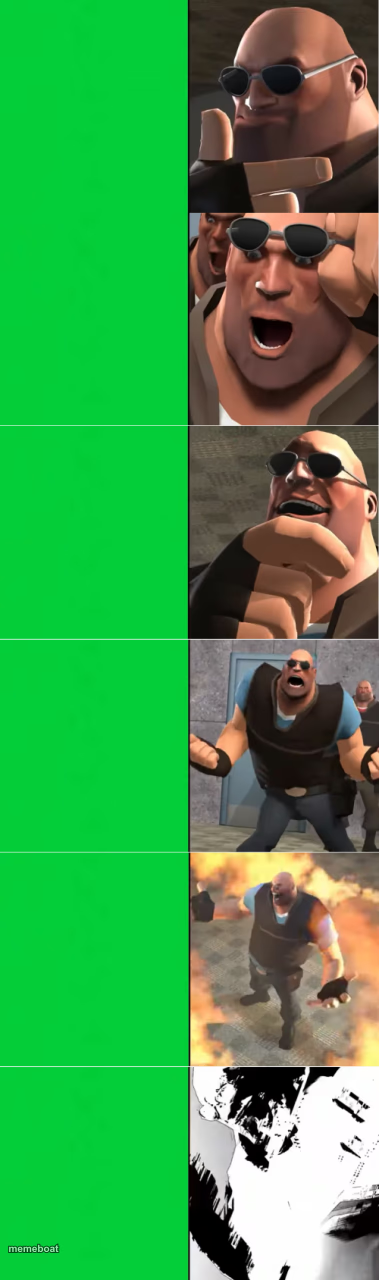
Six-panel escalation template of TF2's Heavy going from smug to raging to exploding, with blank green panels for your own captions. Caption free.
Blank Heavy Ascending meme template
Download the blank Heavy Ascending template to caption it yourself, or add your text right here in the editor above and download the finished meme.
When to use the Heavy Ascending meme
- A situation escalating step by step from calm to chaos
- Group chat argument spiraling out of control across six messages
- Bug report going from 'minor issue' to 'production is on fire'
- Your patience level throughout a single workday
Heavy Ascending template facts
- Featuring
- Heavy Weapons Guy (Team Fortress 2)
- Dimensions
- 379 × 1280 px
- Format
- PNG
- Text boxes
- 6
- Added
- 2025
About the Heavy Ascending meme template
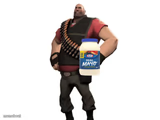
The Heavy from Team Fortress 2 escalates through six stages of emotion, each panel matched with a blank green box so you can build your own step-by-step meltdown story. Cocky grin, unimpressed side-eye, then straight into full rage and a literal explosion.
It's the perfect format for anything that gets worse in stages — a bug report spiraling out of control, a group chat argument, or your mood across a workday. Six beats to escalate however chaotic you want.
Templates similar to Heavy Ascending



Heavy Ascending meme FAQ
How do I make a Heavy Ascending meme?
Scroll up to the Heavy Ascending template, type your caption into the 6 text boxes in the editor above, adjust the font, size and color if you like, then click download. Your finished Heavy Ascending meme is ready to share in seconds.
Can I use the Heavy Ascending template for free?
Yes. The Heavy Ascending template is completely free to use — no signup and no limits on how many memes you create or where you share them.
How do I download my Heavy Ascending meme?
Click the download button under the editor once your Heavy Ascending meme looks right. It saves straight to your device as a high-quality PNG or JPEG image.
How do I download the blank Heavy Ascending template?
Use the "Download blank template" button in the blank Heavy Ascending template section above to save the original, un-captioned image — handy if you'd rather caption it in another app or keep a copy.