
Gem Alert Magnifying Glass Meme Generator
Create Your Gem Alert Magnifying Glass Meme

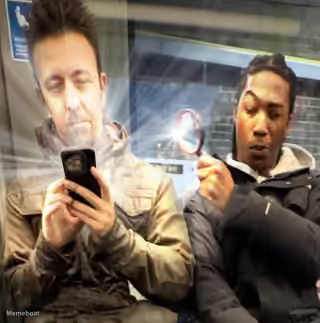
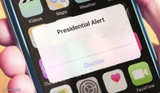
Guy secretly peeking at a stranger's phone with a magnifying glass, red arrow pointing, diamond overlay. Caption it 'gem alert' style — free download.
Blank Gem Alert Magnifying Glass meme template
Download the blank Gem Alert Magnifying Glass template to caption it yourself, or add your text right here in the editor above and download the finished meme.
When to use the Gem Alert Magnifying Glass meme
- Zooming in on someone's unhinged group chat message
- Spotting a hidden gem of a comment buried in a thread
- Catching your friend's screen showing something they definitely didn't want seen
- Reacting to a genuinely great meme or post that deserves closer inspection
Gem Alert Magnifying Glass template facts
- Featuring
- Gem Alert (Looking At People's Phones Prank) (TikTok prank video (@centinolivelyy), screenshot went viral late 2025/early 2026)
- Dimensions
- 220 × 224 px
- Format
- JPG
- Text boxes
- 2
- Added
- 2026
About the Gem Alert Magnifying Glass meme template
Focus your caption on something that requires close examination or careful scrutiny. This format works well when you want to show the act of looking closely at details, whether it's studying for a test or examining fine print.
The guy with magnifying glass looking at phone template captures moments of intense focus and detailed inspection. Your text can describe what's being examined so carefully, making the magnifying glass element part of the joke about needing to look closer at something specific.
Add your custom text to create your own version of this meme. You can download the finished image for free to share wherever you'd like.
Popular Gem Alert Magnifying Glass caption ideas
HOW IT FEELS LOOKING AT THE NERDS TEST
ME INSPECTING YOUR TEXT · FOR RED FLAGS
WHEN THE GROUP CHAT · DROPS AN ACTUAL GEM
POV: YOU SAW · THEIR SEARCH HISTORY
Templates similar to Gem Alert Magnifying Glass



Gem Alert Magnifying Glass meme FAQ
How do I make a Gem Alert Magnifying Glass meme?
Scroll up to the Gem Alert Magnifying Glass template, type your caption into the 2 text boxes in the editor above, adjust the font, size and color if you like, then click download. Your finished Gem Alert Magnifying Glass meme is ready to share in seconds.
Can I use the Gem Alert Magnifying Glass template for free?
Yes. The Gem Alert Magnifying Glass template is completely free to use — no signup and no limits on how many memes you create or where you share them.
How do I download my Gem Alert Magnifying Glass meme?
Click the download button under the editor once your Gem Alert Magnifying Glass meme looks right. It saves straight to your device as a high-quality PNG or JPEG image.
How do I download the blank Gem Alert Magnifying Glass template?
Use the "Download blank template" button in the blank Gem Alert Magnifying Glass template section above to save the original, un-captioned image — handy if you'd rather caption it in another app or keep a copy.