
Guilty Dog Meme Generator
Create Your Guilty Dog Meme
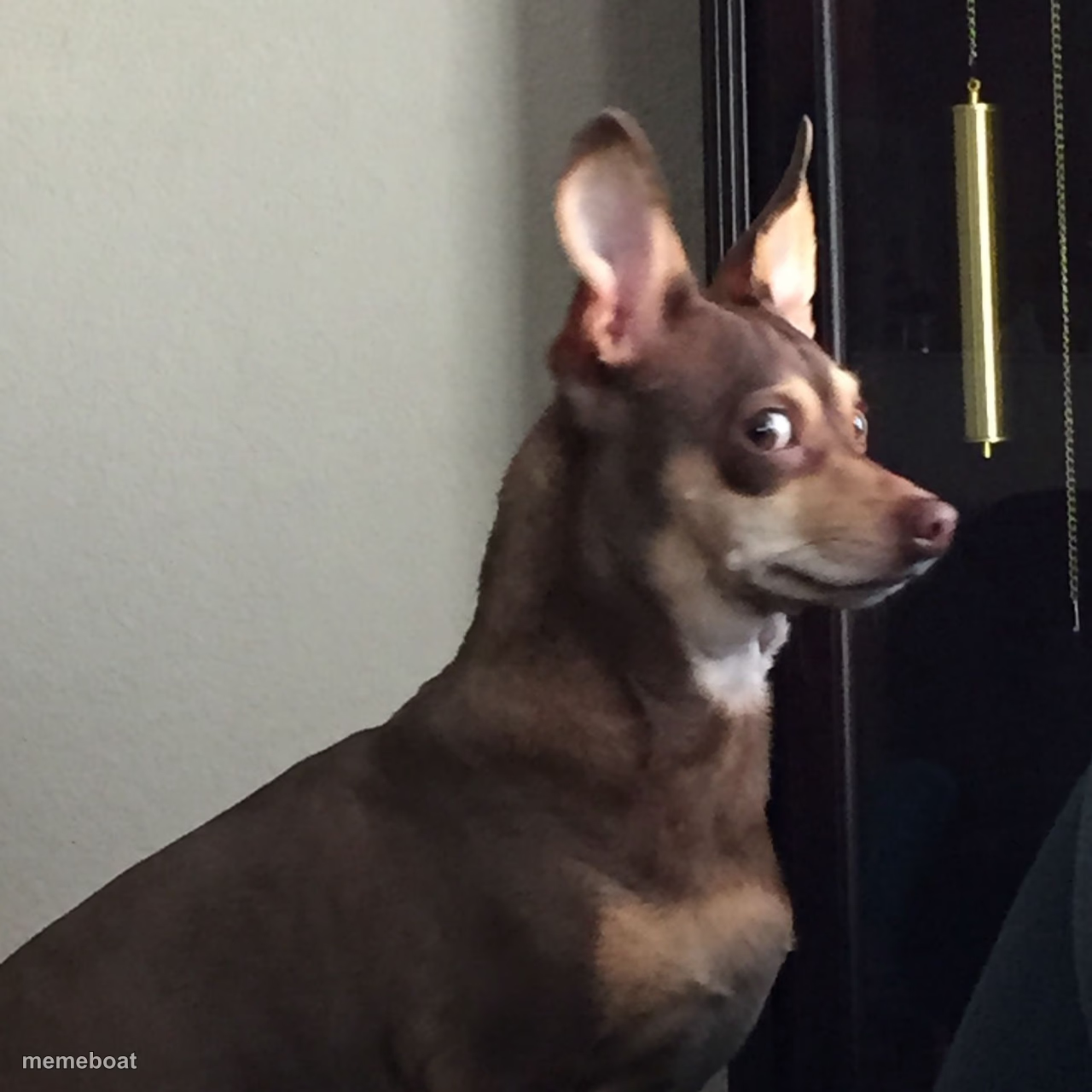
A wide-eyed chihuahua-mix caught side-eyeing the camera with a guilty, 'I definitely did something' stare. Add your own caption and download free.
Blank Guilty Dog meme template
Download the blank Guilty Dog template to caption it yourself, or add your text right here in the editor above and download the finished meme.
When to use the Guilty Dog meme
- Getting caught mid-snack that wasn't yours
- Walking in on a suspicious silence
- Being asked 'who did this' in a group project
- Making eye contact with your ex in public
Guilty Dog template facts
- Dimensions
- 1280 × 1280 px
- Format
- JPG
- Text boxes
- 1
- Added
- 2025
About the Guilty Dog meme template
Those ears are up, those eyes are darting, and that face screams 'I heard a noise and I am NOT explaining myself.' Classic caught-red-pawed energy from a dog who knows exactly what he did.
Great for confession memes, secret-eating-the-couch-cushion jokes, or anytime you need a stand-in for someone dodging accountability with maximum side-eye.
Popular Guilty Dog caption ideas
WHEN SOMEONE ASKS WHO ATE THE LAST PIECE OF PIE · AND IT WAS YOU
WHO ATE THE LAST SLICE OF PIZZA
ME WHEN THE TEACHER SAYS 'SOMEONE'S PHONE IS RINGING'
WHEN YOU HEAR YOUR NAME IN THE OTHER ROOM
Templates similar to Guilty Dog

Guilty Dog meme FAQ
How do I make a Guilty Dog meme?
Scroll up to the Guilty Dog template, type your caption into the text box in the editor above, adjust the font, size and color if you like, then click download. Your finished Guilty Dog meme is ready to share in seconds.
Can I use the Guilty Dog template for free?
Yes. The Guilty Dog template is completely free to use — no signup and no limits on how many memes you create or where you share them.
How do I download my Guilty Dog meme?
Click the download button under the editor once your Guilty Dog meme looks right. It saves straight to your device as a high-quality PNG or JPEG image.
How do I download the blank Guilty Dog template?
Use the "Download blank template" button in the blank Guilty Dog template section above to save the original, un-captioned image — handy if you'd rather caption it in another app or keep a copy.