
Google No Results Meme Generator
Create Your Google No Results Meme
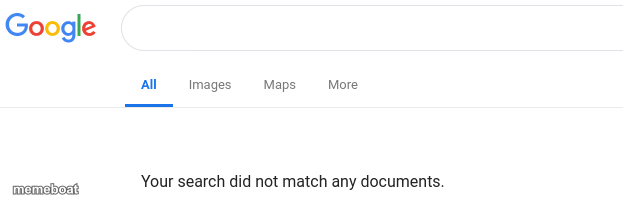
A Google search results page saying 'Your search did not match any documents' — for when the answer to your question flat-out doesn't exist. Caption it free.
Blank Google No Results meme template
Download the blank Google No Results template to caption it yourself, or add your text right here in the editor above and download the finished meme.
When to use the Google No Results meme
- Googling a bizarre symptom and getting nothing helpful
- Searching for proof that you did something right at work
- Looking up how to fix a problem only you seem to have
- Searching for a good excuse that doesn't sound made up
Google No Results template facts
- Dimensions
- 623 × 199 px
- Format
- PNG
- Added
- 2025
About the Google No Results meme template
The internet has failed you. You typed the question, hit search, and Google just shrugged: nothing found. It's the digital equivalent of an empty room echoing back at you.
Use this one for searches that should exist but don't — 'cure for Mondays,' 'reasons my code works,' 'my will to keep scrolling.' Perfect for any joke about a hopeless, fruitless search.
Templates similar to Google No Results

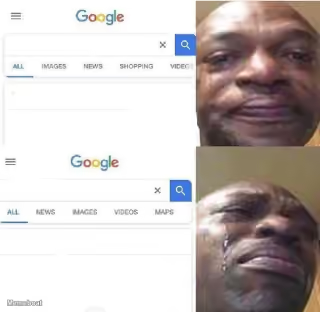
Google No Results meme FAQ
How do I make a Google No Results meme?
Scroll up to the Google No Results template, add your own text boxes in the editor above and type your captions, adjust the font, size and color if you like, then click download. Your finished Google No Results meme is ready to share in seconds.
Can I use the Google No Results template for free?
Yes. The Google No Results template is completely free to use — no signup and no limits on how many memes you create or where you share them.
How do I download my Google No Results meme?
Click the download button under the editor once your Google No Results meme looks right. It saves straight to your device as a high-quality PNG or JPEG image.
How do I download the blank Google No Results template?
Use the "Download blank template" button in the blank Google No Results template section above to save the original, un-captioned image — handy if you'd rather caption it in another app or keep a copy.