
French Fries Texture Meme Generator
Create Your French Fries Texture Meme
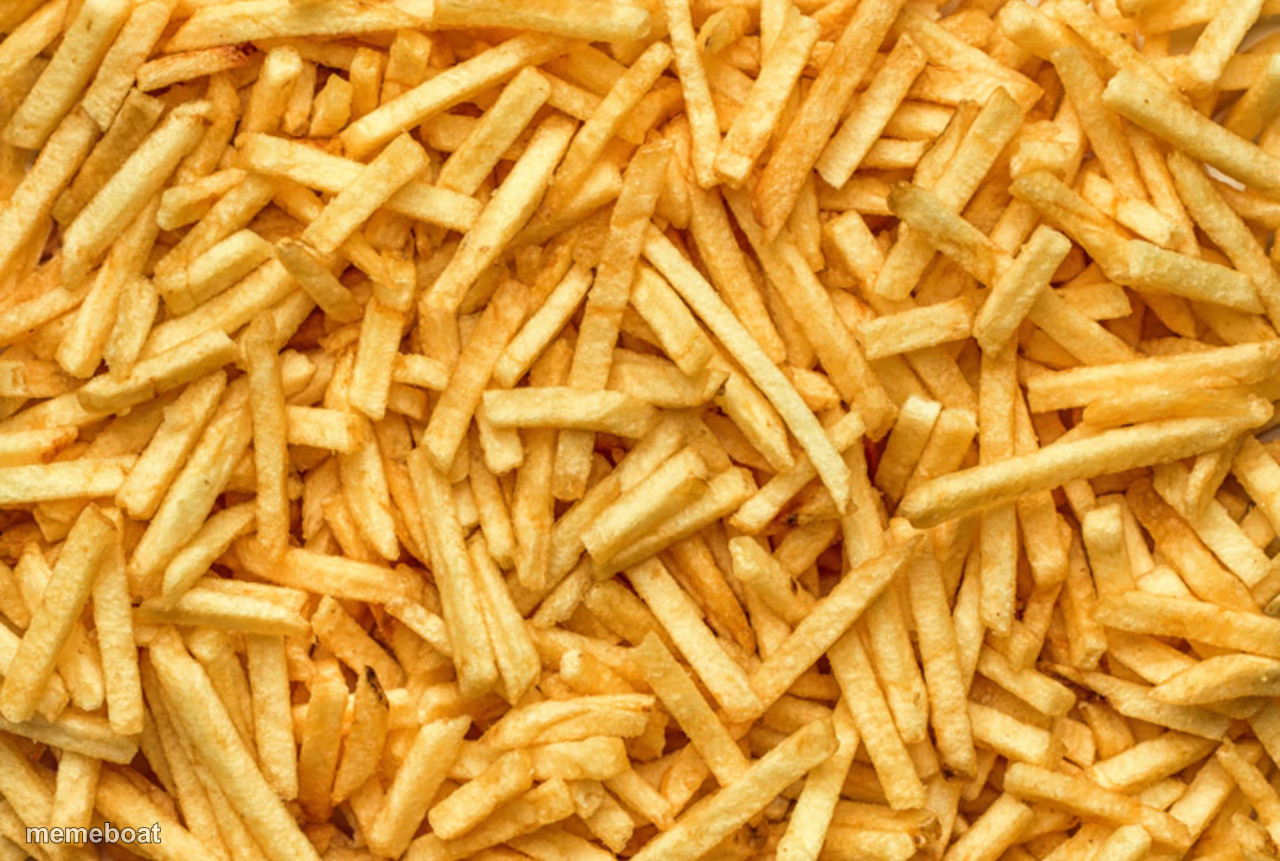
A close-up wall-to-wall pile of golden shoestring French fries — pure carb chaos with no plate in sight. Caption this greasy background free.
Blank French Fries Texture meme template
Download the blank French Fries Texture template to caption it yourself, or add your text right here in the editor above and download the finished meme.
When to use the French Fries Texture meme
- Describing your diet the day after a breakup
- The visual for 'I said I'd have a few fries'
- Captioning your one true love language
- Any joke about carbs solving all your problems
French Fries Texture template facts
- Dimensions
- 1280 × 861 px
- Format
- JPG
- Added
- 2025
About the French Fries Texture meme template
Just fries. So many fries. No plate, no ketchup, no restraint — just an endless golden carpet of shoestring potatoes as far as the eye can see. It's the visual version of 'I regret nothing.'
Great as a background for any joke about overindulgence, cheat days, or the sheer chaos of a fast food order that got out of hand.
Popular French Fries Texture caption ideas
BILL NYE · THE SCIENCE FRY
Templates similar to French Fries Texture




French Fries Texture meme FAQ
How do I make a French Fries Texture meme?
Scroll up to the French Fries Texture template, add your own text boxes in the editor above and type your captions, adjust the font, size and color if you like, then click download. Your finished French Fries Texture meme is ready to share in seconds.
Can I use the French Fries Texture template for free?
Yes. The French Fries Texture template is completely free to use — no signup and no limits on how many memes you create or where you share them.
How do I download my French Fries Texture meme?
Click the download button under the editor once your French Fries Texture meme looks right. It saves straight to your device as a high-quality PNG or JPEG image.
How do I download the blank French Fries Texture template?
Use the "Download blank template" button in the blank French Fries Texture template section above to save the original, un-captioned image — handy if you'd rather caption it in another app or keep a copy.