
Select Difficulty Meme Generator
Create Your Select Difficulty Meme
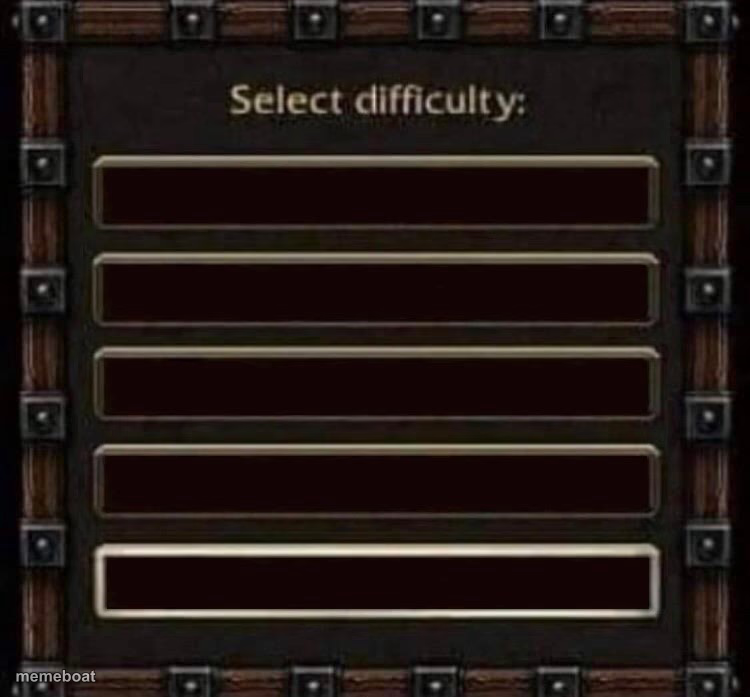
A fantasy RPG-style difficulty select menu with empty text slots — perfect for ranking anything from 'easy' to 'nightmare.' Caption it and download free.
Blank Select Difficulty meme template
Download the blank Select Difficulty template to caption it yourself, or add your text right here in the editor above and download the finished meme.
When to use the Select Difficulty meme
- Ranking difficulty levels of everyday tasks like laundry vs. taxes
- Escalating a joke through four levels of intensity
- Mocking video game 'easy mode' culture
- Comparing levels of chaos, from mild to apocalyptic
Select Difficulty template facts
- Featuring
- Select Difficulty (RPG game menu template)
- Dimensions
- 750 × 697 px
- Format
- JPG
- Added
- 2025
About the Select Difficulty meme template
This one's the classic wood-and-metal RPG difficulty select screen, ripped straight from every fantasy game menu you've ever seen, except the labels are blank so you get to decide what counts as Easy, Normal, Hard, and Nightmare.
It's built for ranking literally anything — chores, exes, Monday moods, how bad the group project is going. Stack four escalating jokes into the slots and let the format do the comedic heavy lifting.
Templates similar to Select Difficulty


Select Difficulty meme FAQ
How do I make a Select Difficulty meme?
Scroll up to the Select Difficulty template, add your own text boxes in the editor above and type your captions, adjust the font, size and color if you like, then click download. Your finished Select Difficulty meme is ready to share in seconds.
Can I use the Select Difficulty template for free?
Yes. The Select Difficulty template is completely free to use — no signup and no limits on how many memes you create or where you share them.
How do I download my Select Difficulty meme?
Click the download button under the editor once your Select Difficulty meme looks right. It saves straight to your device as a high-quality PNG or JPEG image.
How do I download the blank Select Difficulty template?
Use the "Download blank template" button in the blank Select Difficulty template section above to save the original, un-captioned image — handy if you'd rather caption it in another app or keep a copy.