
da gorl Meme Generator
Create Your da gorl Meme
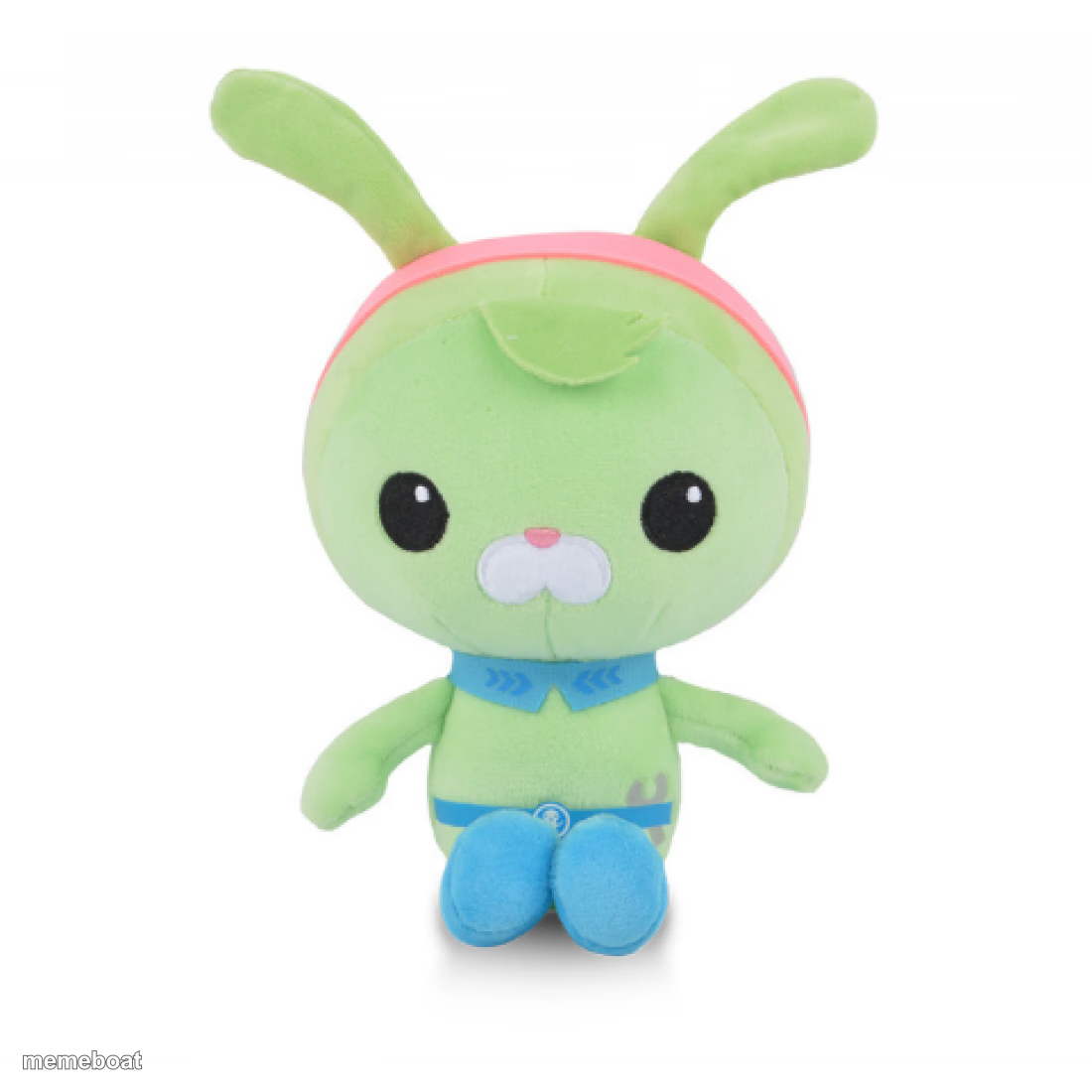
A wide-eyed green plush bunny in blue overalls stares blankly at the camera. Perfect for deadpan reaction captions. Caption it free with Memebo.
Blank da gorl meme template
Download the blank da gorl template to caption it yourself, or add your text right here in the editor above and download the finished meme.
When to use the da gorl meme
- when someone explains their get-rich-quick scheme and you just stare
- your face when the group chat goes silent after your joke
- reacting to a coworker's 'quick call' that's now 45 minutes
da gorl template facts
- Dimensions
- 1100 × 1100 px
- Format
- PNG
- Text boxes
- 2
- Added
- 2025
About the da gorl meme template
This green plush bunny with its pink headband ears and permanently startled button eyes is the meme equivalent of a thousand-yard stare. It's not judging you. It's not not judging you either.
Use it for that flat, speechless moment when words fail and only a stuffed animal's blank stare will do. Add your caption and download it free with Memebo.
Popular da gorl caption ideas
upvote for tweak plush · ignore for pedophile rights
ME PRETENDING · TO UNDERSTAND THE MEETING
WHEN THEY SAY · "WE NEED TO TALK"
MY FACE · WHEN THE WIFI DIES MID-ZOOM
Templates similar to da gorl

da gorl meme FAQ
How do I make a da gorl meme?
Scroll up to the da gorl template, type your caption into the 2 text boxes in the editor above, adjust the font, size and color if you like, then click download. Your finished da gorl meme is ready to share in seconds.
Can I use the da gorl template for free?
Yes. The da gorl template is completely free to use — no signup and no limits on how many memes you create or where you share them.
How do I download my da gorl meme?
Click the download button under the editor once your da gorl meme looks right. It saves straight to your device as a high-quality PNG or JPEG image.
How do I download the blank da gorl template?
Use the "Download blank template" button in the blank da gorl template section above to save the original, un-captioned image — handy if you'd rather caption it in another app or keep a copy.