
Cruise Ship Meme Generator
Create Your Cruise Ship Meme
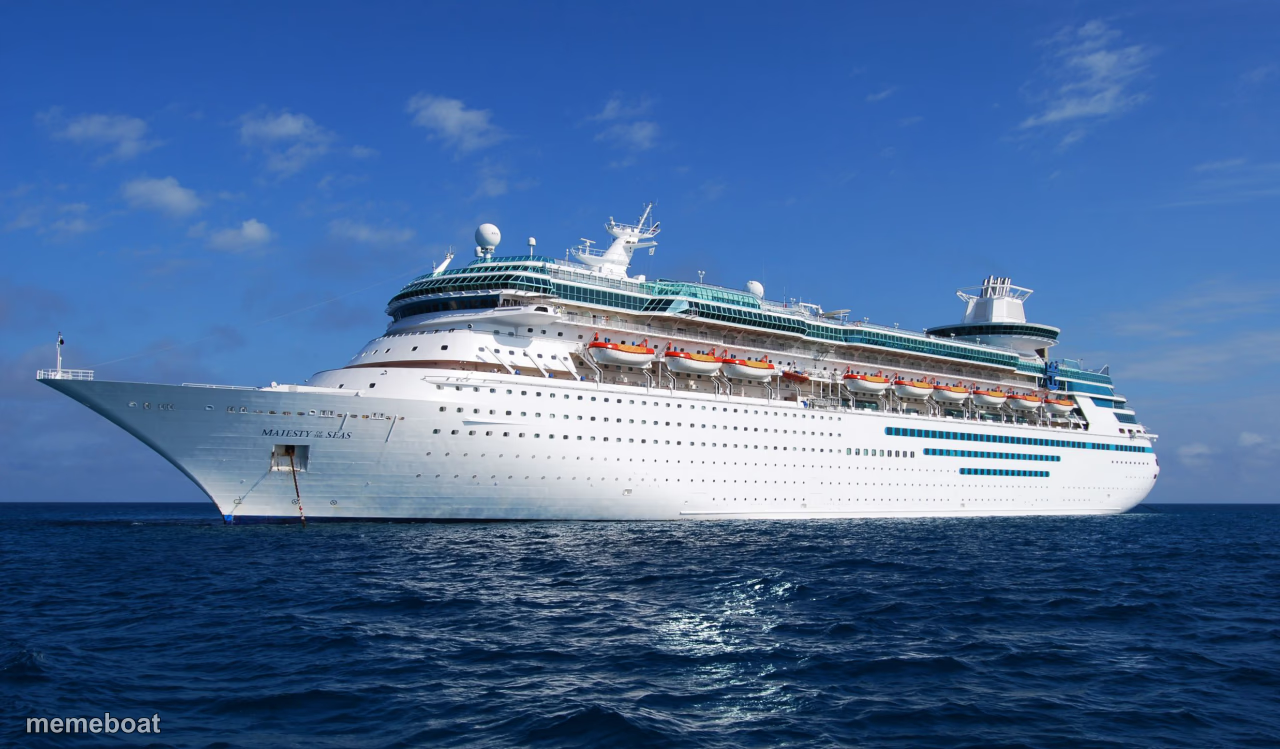
A big white cruise ship gliding across calm blue water — the go-to image for vacation dreams, overpacked itineraries, or floating buffet jokes. Caption it free.
Blank Cruise Ship meme template
Download the blank Cruise Ship template to caption it yourself, or add your text right here in the editor above and download the finished meme.
When to use the Cruise Ship meme
- Daydreaming about vacation while stuck at your desk
- Joking about the all-you-can-eat buffet
- That one relative who won't stop posting cruise photos
Cruise Ship template facts
- Dimensions
- 1280 × 749 px
- Format
- JPG
- Text boxes
- 2
- Added
- 2025
About the Cruise Ship meme template
A large white cruise ship named "Majesty of the Seas" sails across calm blue water. Rows of orange lifeboats line its upper decks and a domed deck rises at the stern. Used when daydreaming about a vacation while stuck at work or teasing a relative who keeps posting cruise photos.
Popular Cruise Ship caption ideas
Two characters: Make eye contact · The fandom:
My savings account · watching me book this anyway
Me: I'll just have one plate · Also me at the buffet 20 minutes later
When you tell people you're "working remotely" · but really you're just here
Templates similar to Cruise Ship






Cruise Ship meme FAQ
How do I make a Cruise Ship meme?
Scroll up to the Cruise Ship template, type your caption into the 2 text boxes in the editor above, adjust the font, size and color if you like, then click download. Your finished Cruise Ship meme is ready to share in seconds.
Can I use the Cruise Ship template for free?
Yes. The Cruise Ship template is completely free to use — no signup and no limits on how many memes you create or where you share them.
How do I download my Cruise Ship meme?
Click the download button under the editor once your Cruise Ship meme looks right. It saves straight to your device as a high-quality PNG or JPEG image.
How do I download the blank Cruise Ship template?
Use the "Download blank template" button in the blank Cruise Ship template section above to save the original, un-captioned image — handy if you'd rather caption it in another app or keep a copy.