Loading...
Loading...
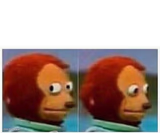
The stone-faced rage-comic guy hunched at his monitor, radiating quiet judgment. Perfect for petty online arguments and internet nitpicking. Caption and download free.

Download the blank Computer Guy template to caption it yourself, or add your text right here in the editor above and download the finished meme.
Nobody in the history of the internet has looked more unimpressed than this guy squinting at his monitor. He's not typing anything back, he's just sitting there, silently cataloguing every reason you're wrong.
Use this for any moment of deadpan online judgment — reading a bad tweet, watching a group chat unravel, or just staring at your inbox like it personally wronged you.
Computer Guy
WHEN SOMEONE ROAST YOU · BUT IT WAS LOW KEY A GOOD ROAST
Because the ad features an African-American man using the product.
WHEN I SEE AN AD FOR BLACK MAGIC TIRE WET · AND I THINK TO MYSELF "HOW DID THIS NOT GET BANNED FOR BEING RACIST?"
Computer Guy
WAITING FOR MY MEME · TO GET MORE THAN 10 LIKES
Sad
WHEN I MAKE A MEME THAT'S HILARIOUS TO ME · BUT IT ONLY GETS 1 UPVOTE, FROM MY FRIEND.
Computer Guy
GOOGLE IS DEFINITELY A WOMAN · IT DOESN'T LET YOU FINISH A SENTENCE WITHOUT SUGGESTING OTHER IDEAS
Scroll up to the Computer Guy template, type your caption into the 2 text boxes in the editor above, adjust the font, size and color if you like, then click download. Your finished Computer Guy meme is ready to share in seconds.
Yes. The Computer Guy template is completely free to use — no signup and no limits on how many memes you create or where you share them.
SEES SOMEONE WRONG ON THE INTERNET · OPENS 17 TABS TO PROVE IT
THAT FEELING WHEN YOU REPLY-ALL · AND WATCH THE EMAILS ROLL IN
ME AT 2AM · STILL WINNING AN ARGUMENT FROM 2019
Click the download button under the editor once your Computer Guy meme looks right. It saves straight to your device as a high-quality PNG or JPEG image.
Use the "Download blank template" button in the blank Computer Guy template section above to save the original, un-captioned image — handy if you'd rather caption it in another app or keep a copy.